
In addition to ordering gifts on https://www.wellbox.co.uk, existing customers can place orders directly through their account. This is a time-saver for customers who are already familiar with our gifts and services, and want to avoid the hassle of entering all of their details at checkout.
Follow these steps to browse, select, and order gifts.
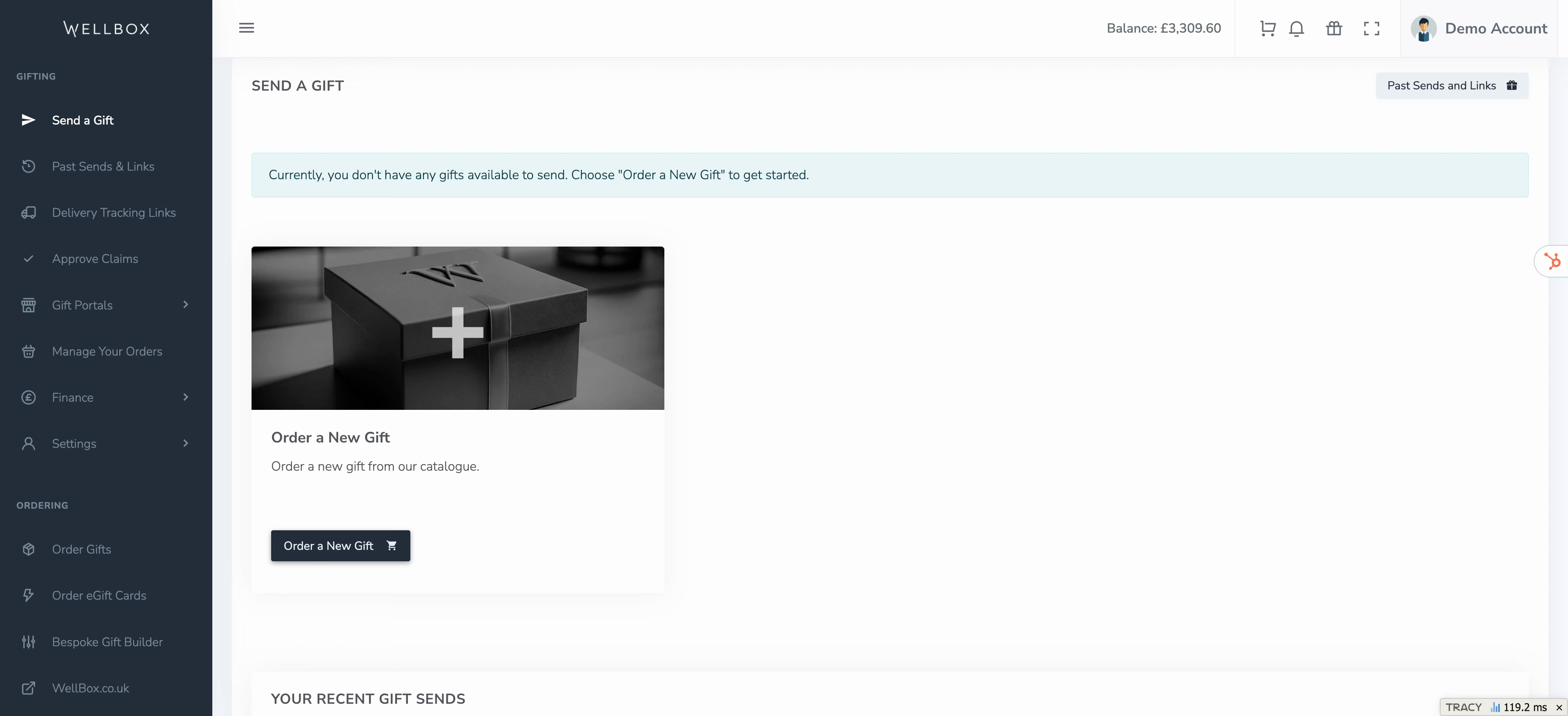
Step 1: Click Order a new Gift in the Send a Gift section or navigate to the menu and select Order Gifts.
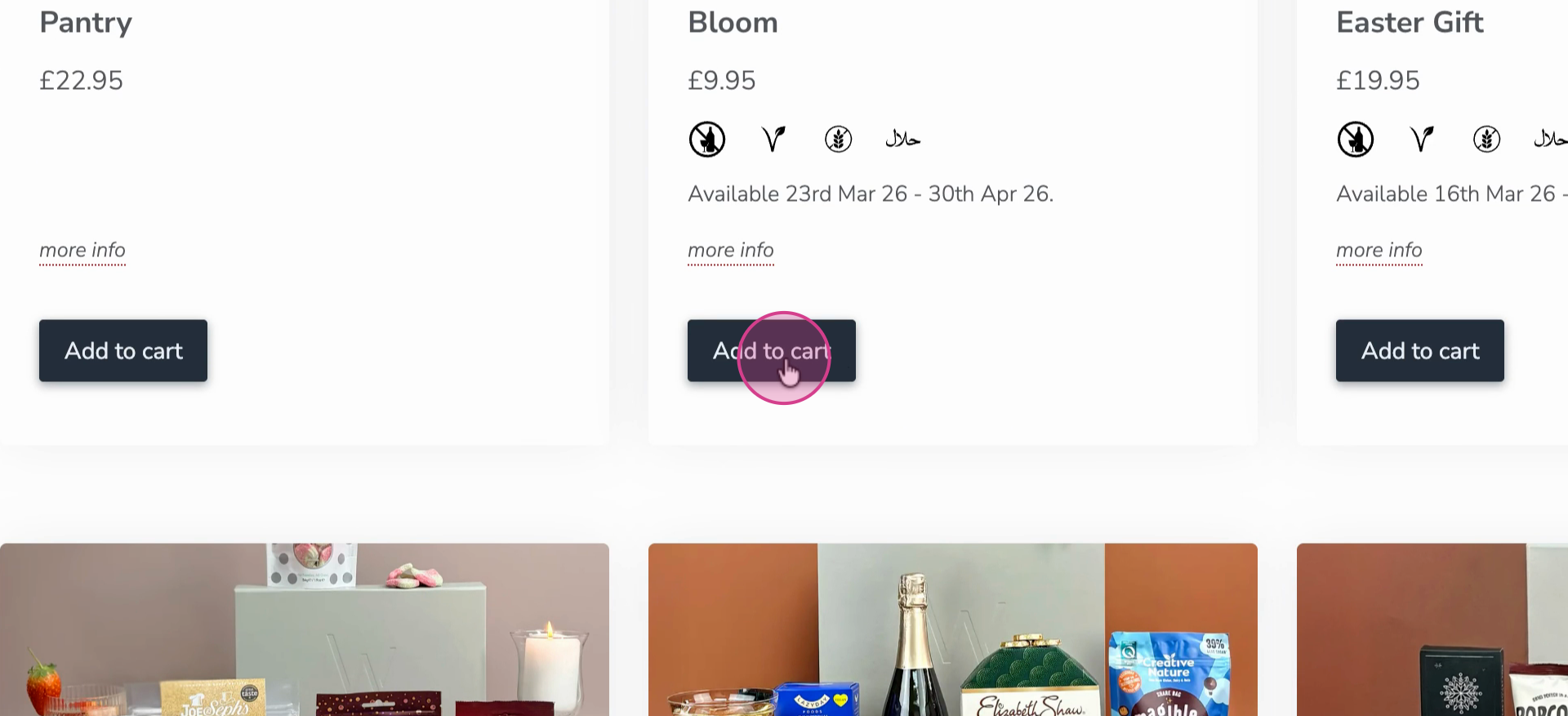
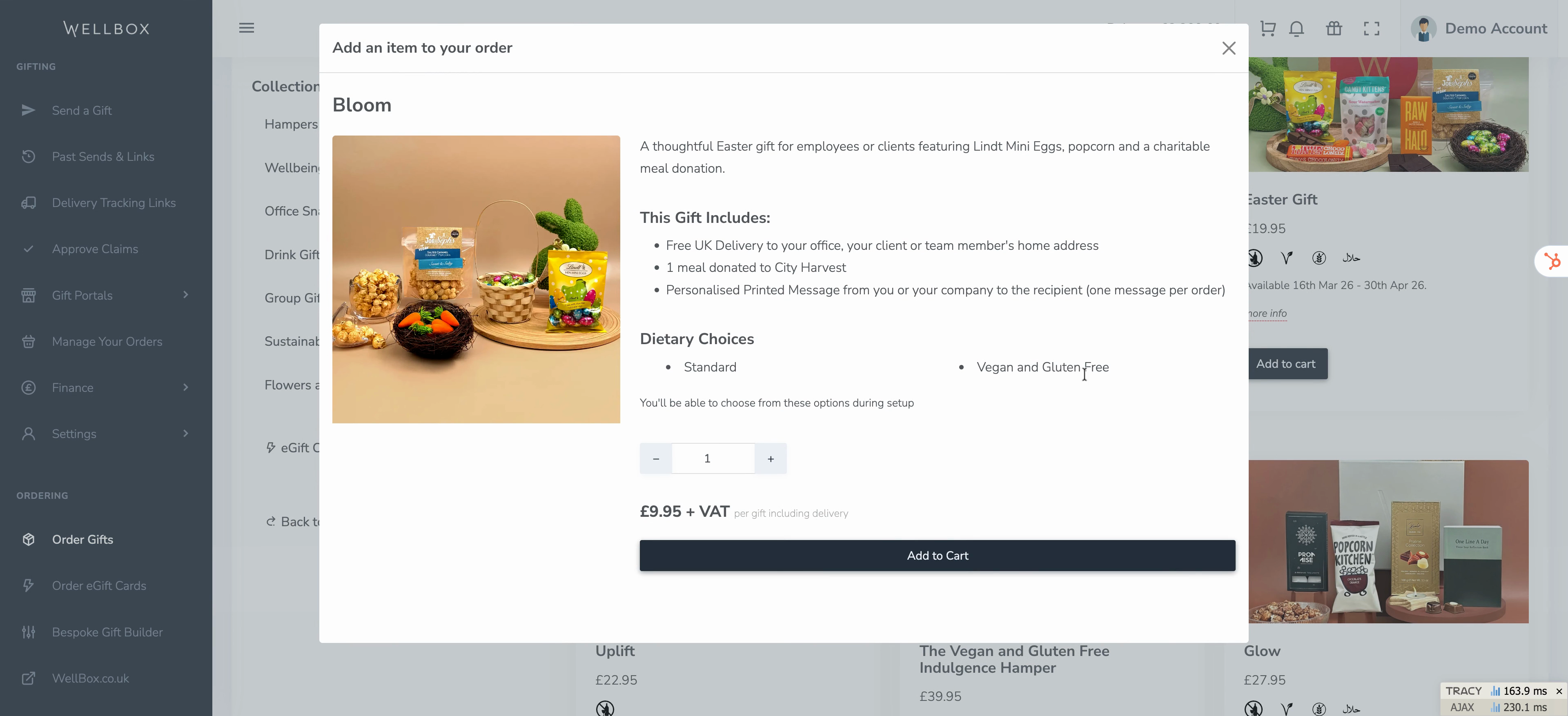
Step 2: Add multiple gifts to your order as needed. For gifts with dietary versions, review the available dietary choices. Don’t worry about selecting options now—these can be chosen when you send the gift, either by you or the recipient.
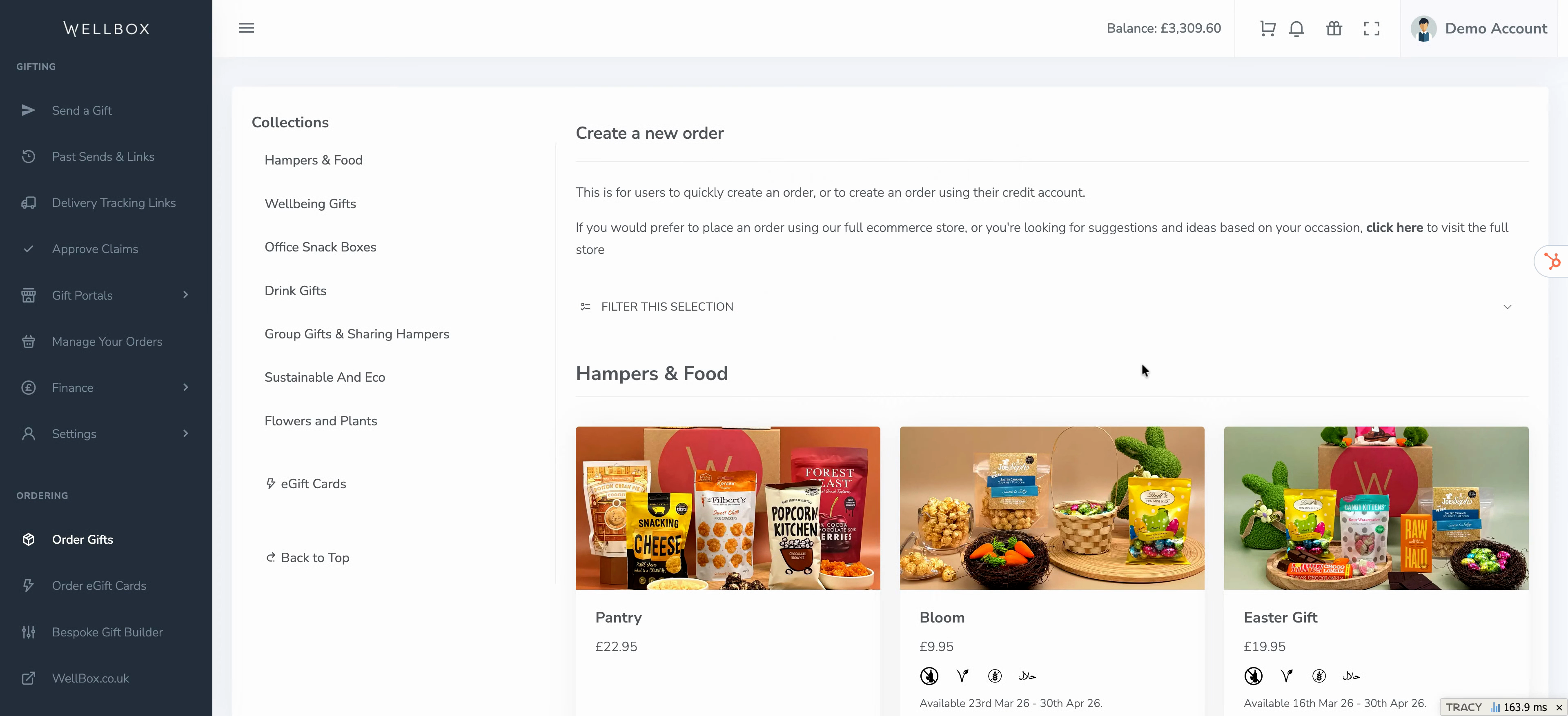
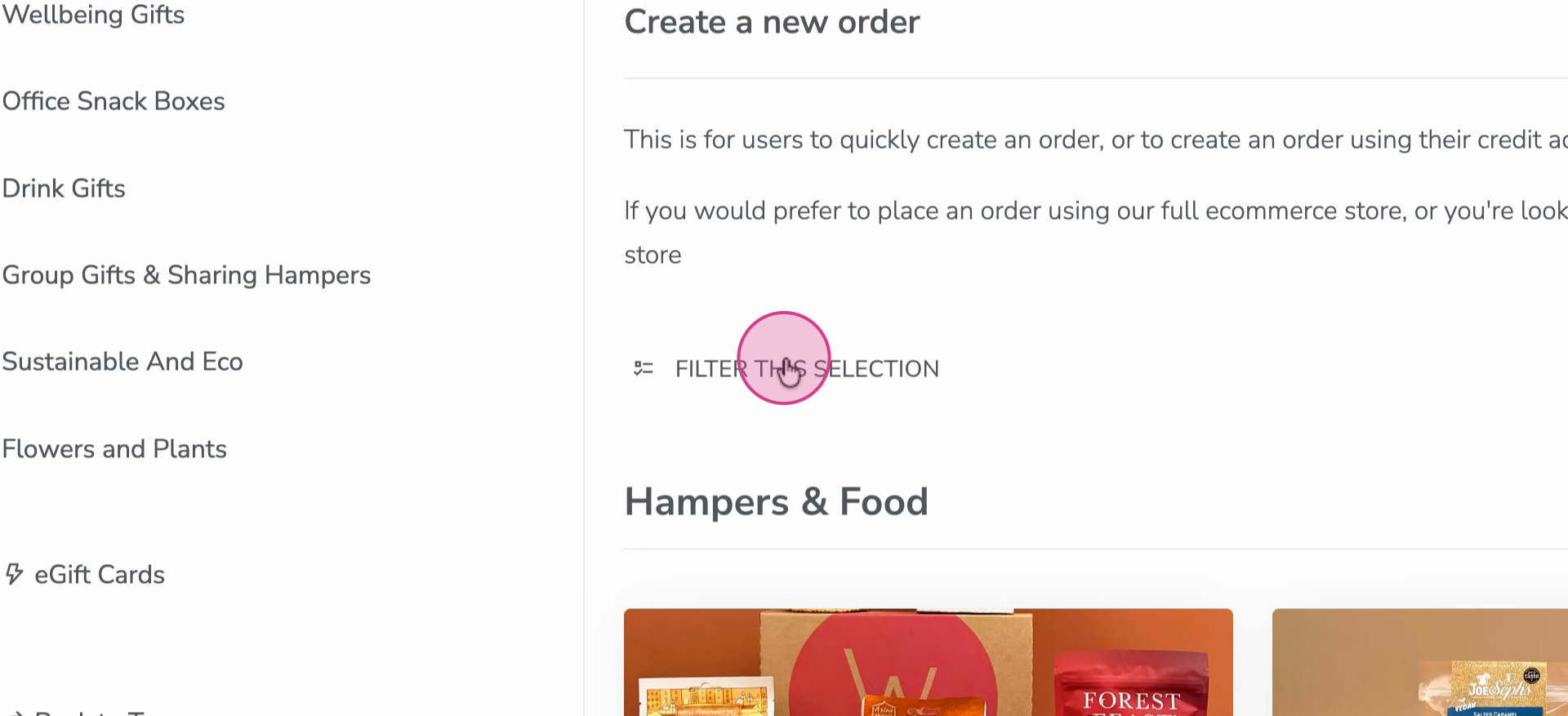
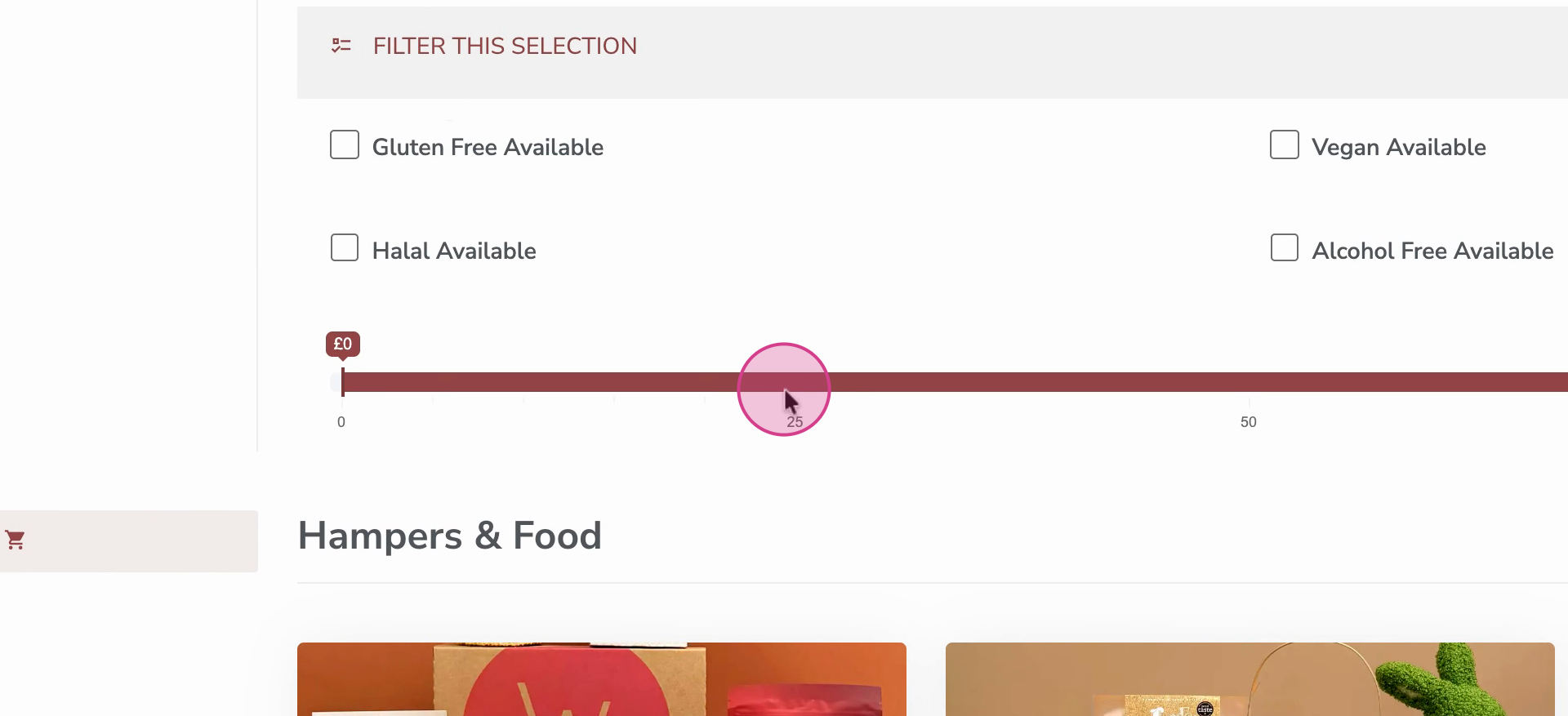
Step 3: Use filters to narrow down your selection based on budget or other criteria.
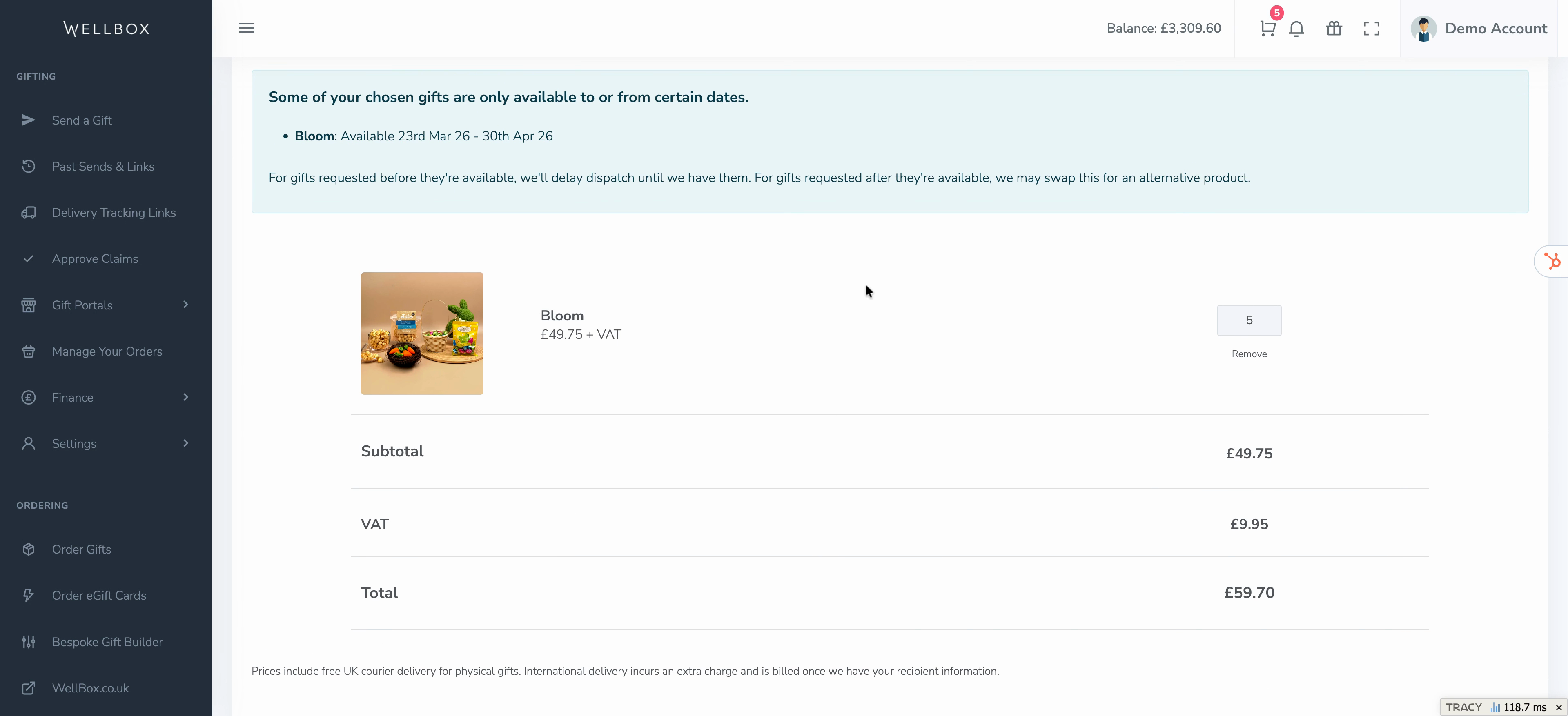
Step 4: Review the gifts you’ve added to your basket. If any gifts are seasonal or limited-time only, you’ll see a warning if they’re unavailable outside certain dates.
Step 5: In Order Details, give your order a name for reference, and optionally add a purchase order number for your accounts team.
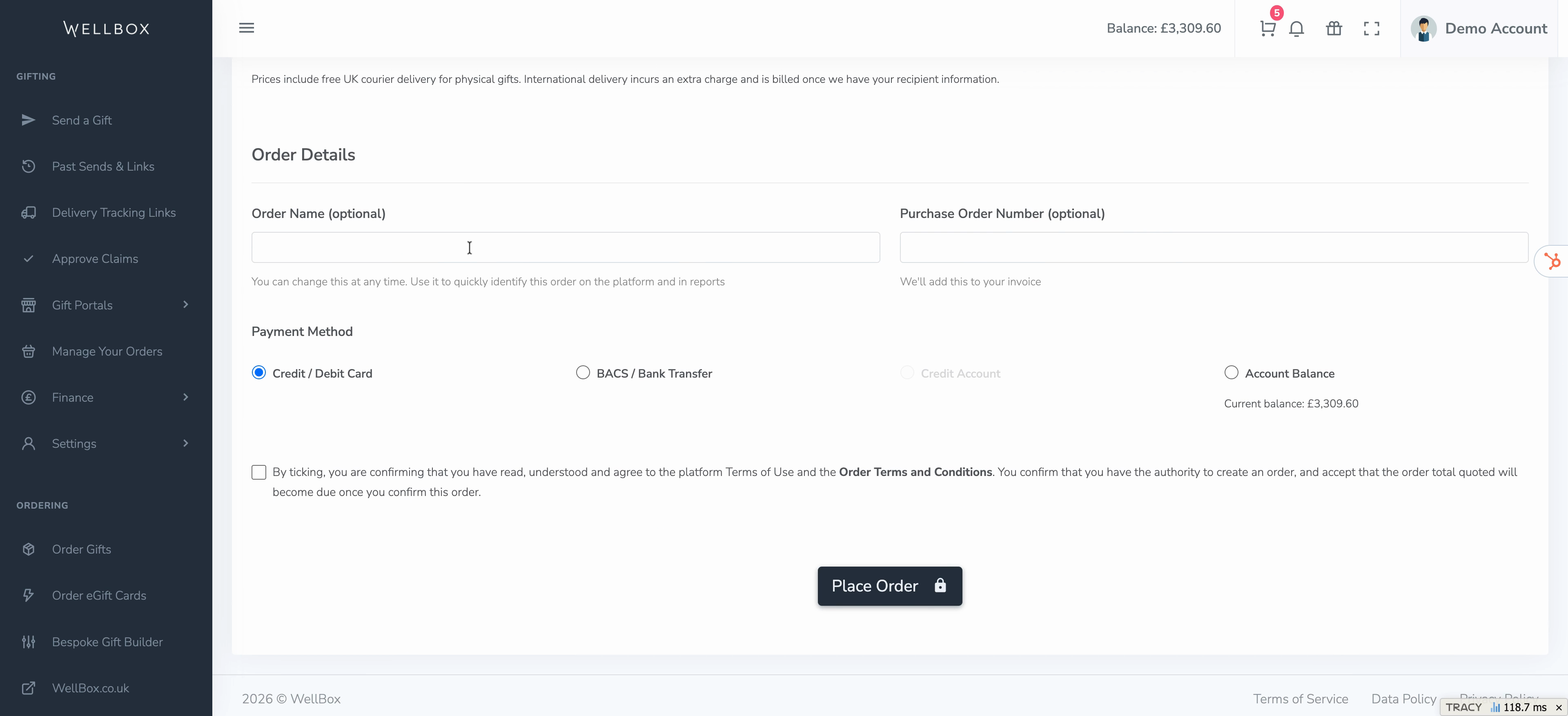
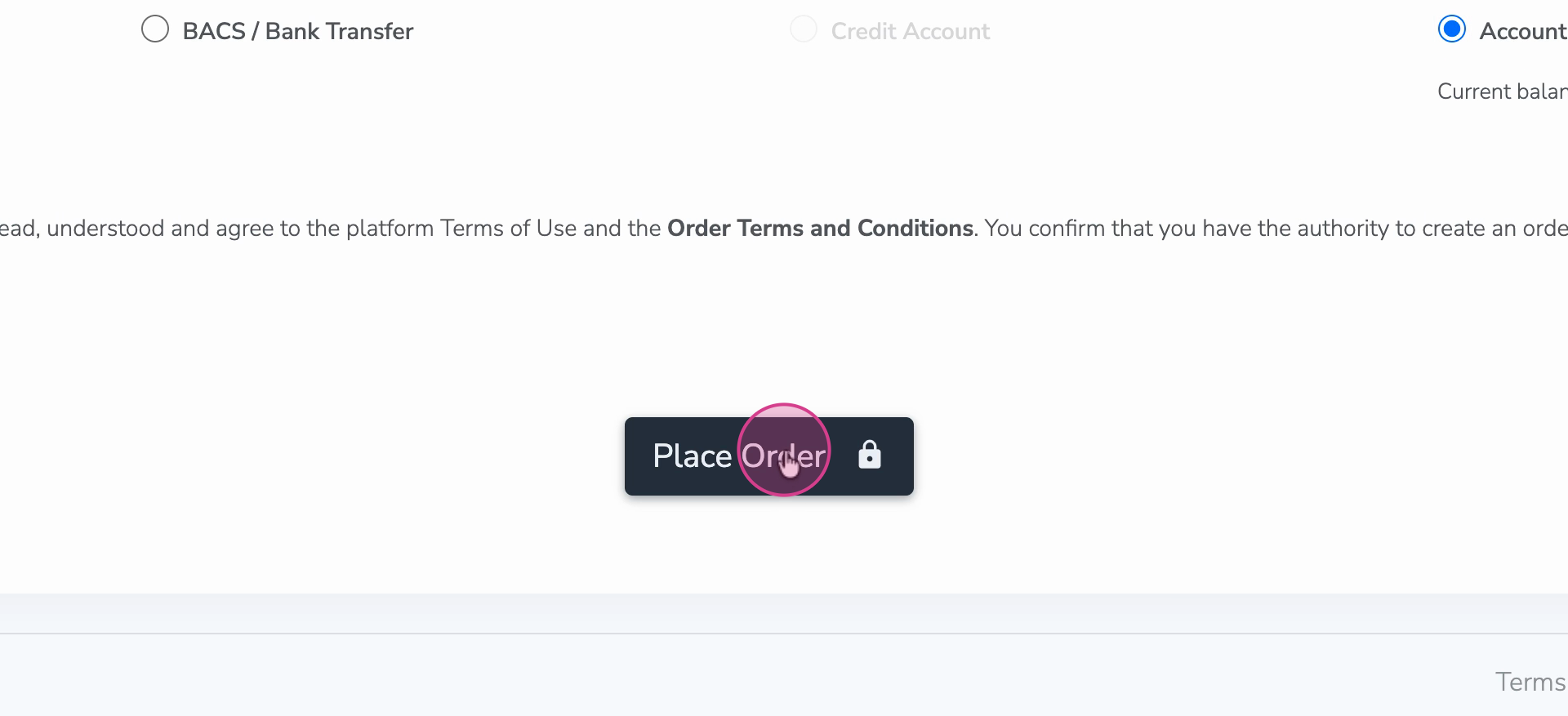
Step 6: Choose your payment method: credit card / debit card, BACS, credit account (if available), or account balance. You can check your available account balance funds at the top of the screen.
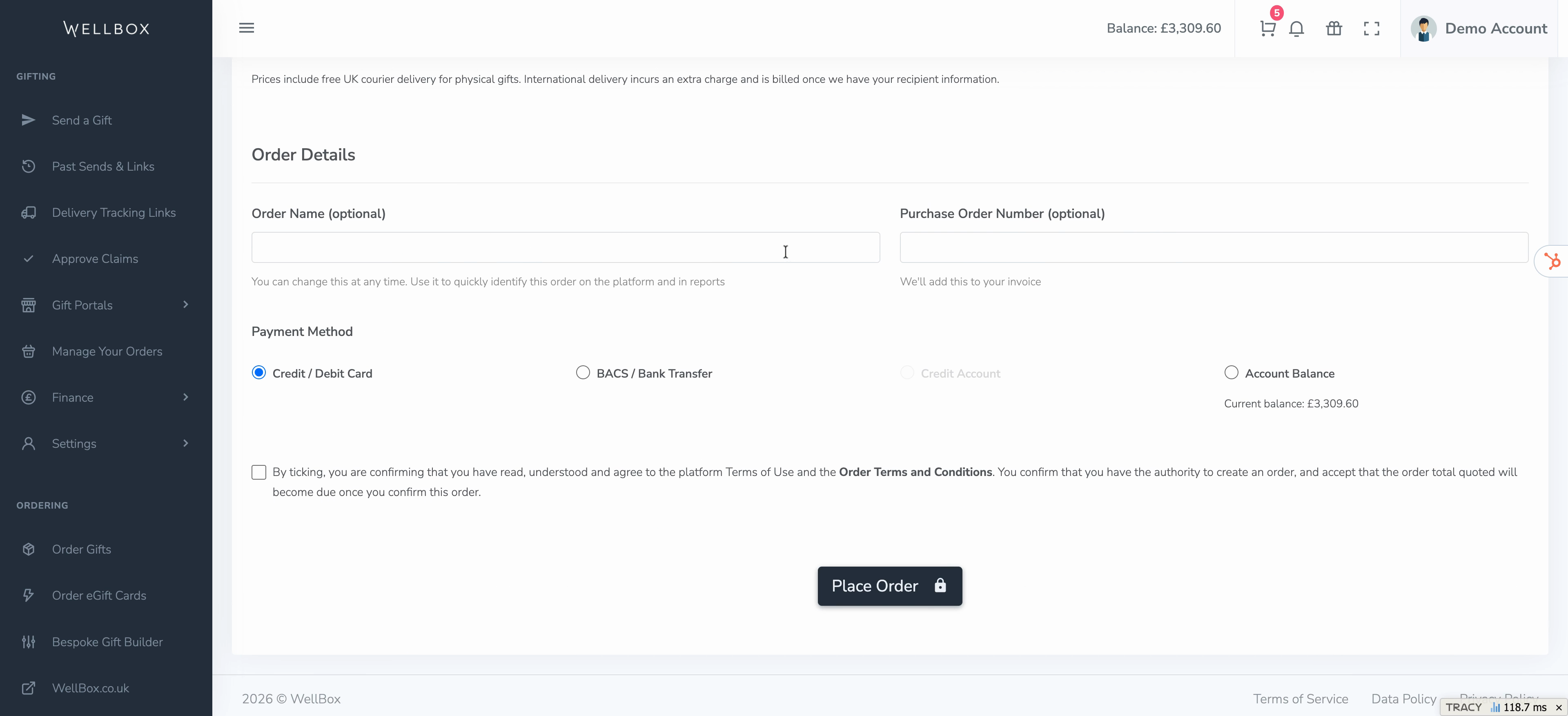
Step 7: Click Place Order to confirm your order.
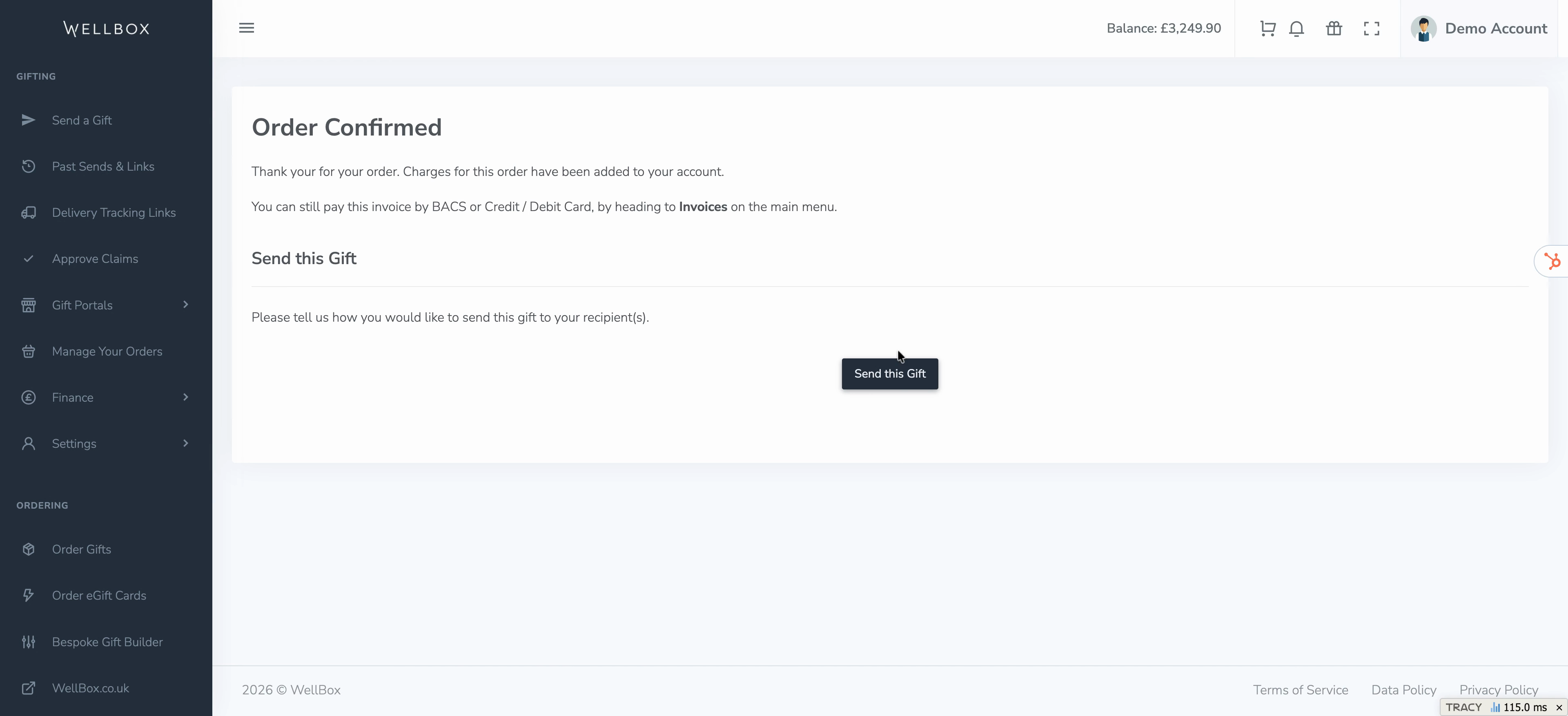
Step 8: Hit Send this Gift to start sending your ordered gifts right away.
Ordering and sending gifts is this easy—just follow these steps to streamline your gifting process and delight your recipients.