
Accessing all your past purchase invoices is straightforward and helps keep your records organised.
Follow these steps to quickly locate and download or pay any VAT invoice.
Follow these steps to quickly locate and download or pay any VAT invoice.
Step 1: Make sure you're signed in to your account.
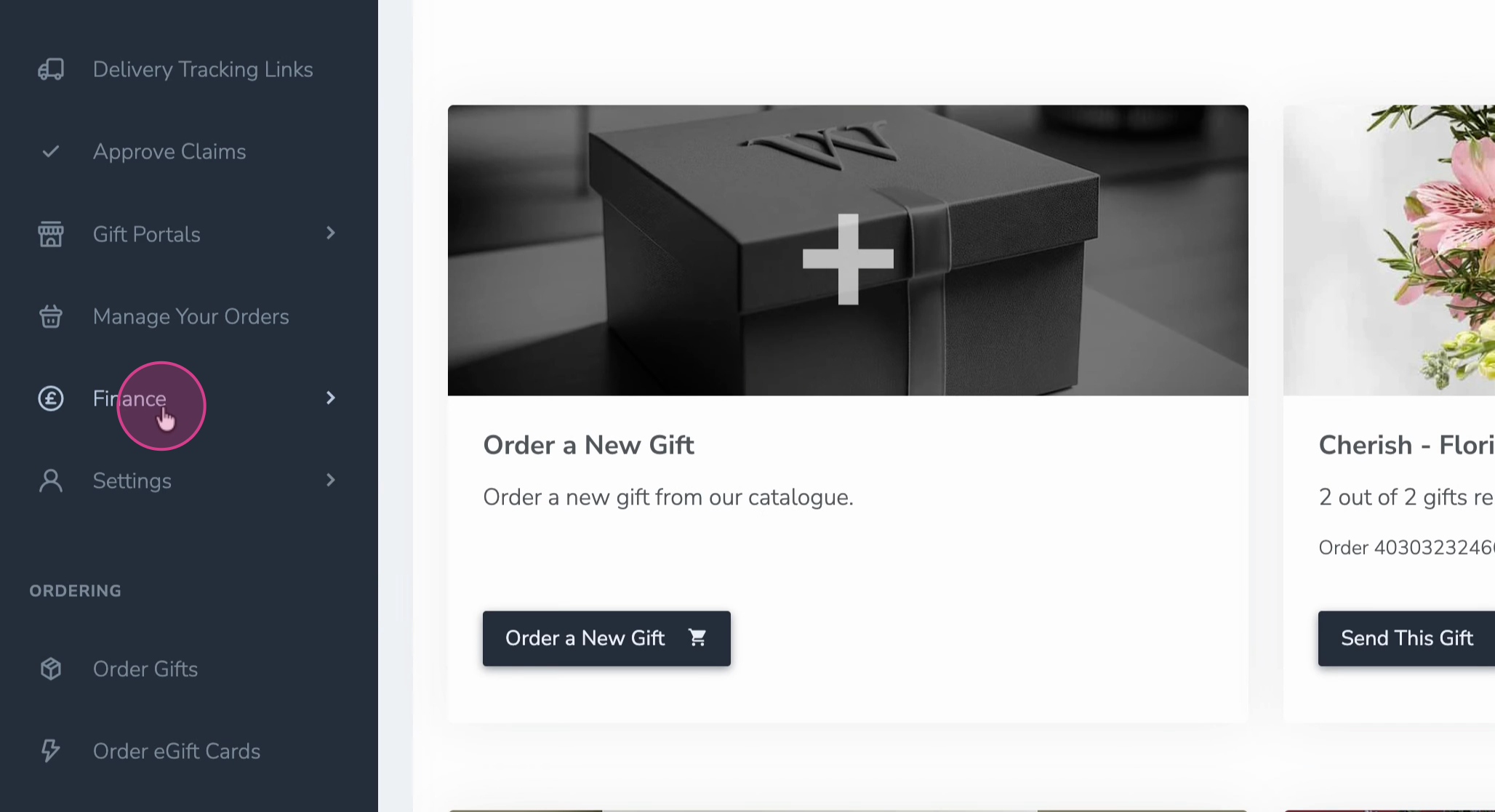
Step 2: Go to Finance.
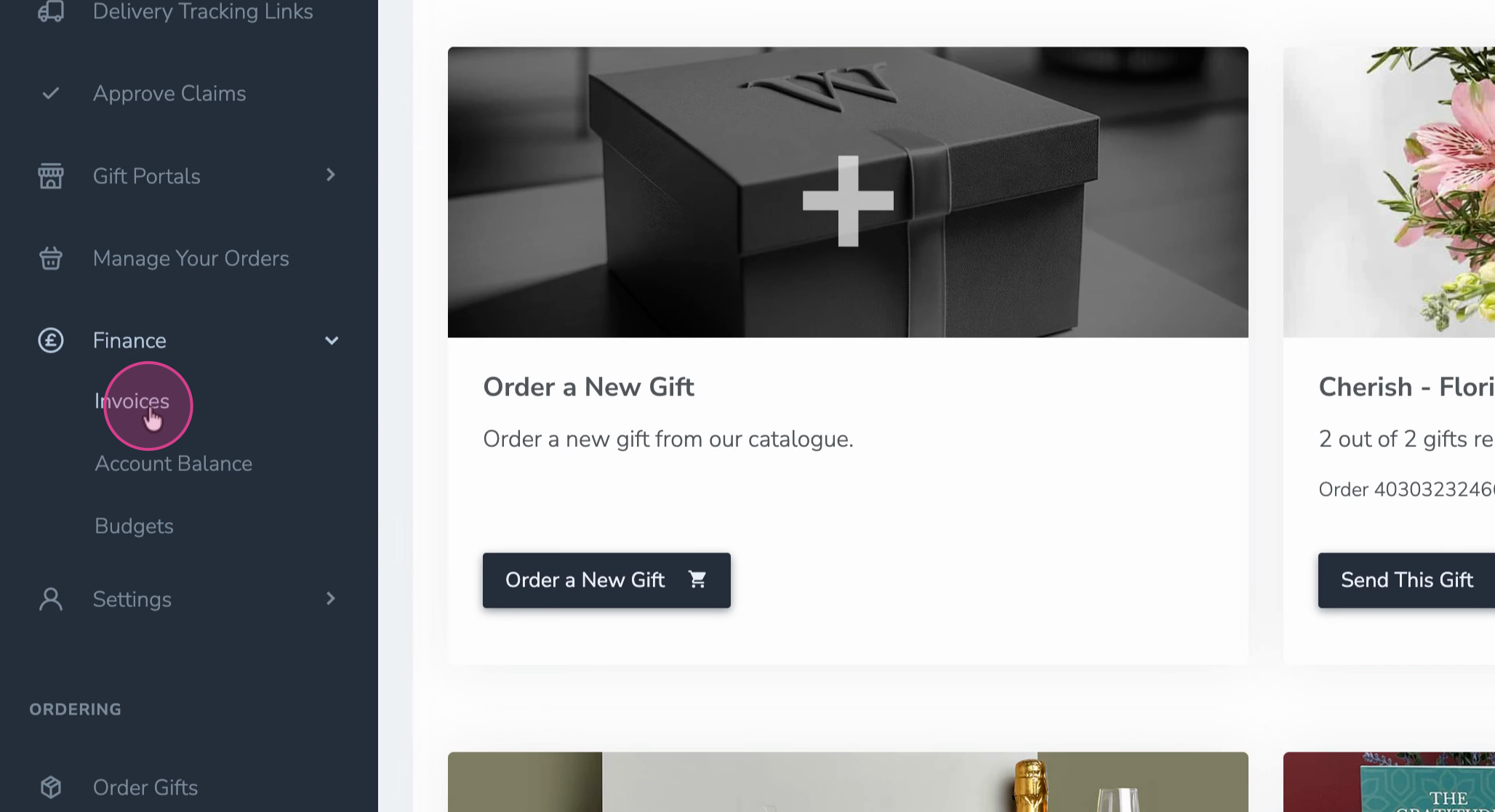
Step 3: Select Invoices from the menu.
Step 4: Browse the list of both paid and unpaid invoices. Click an invoice number to download its PDF.
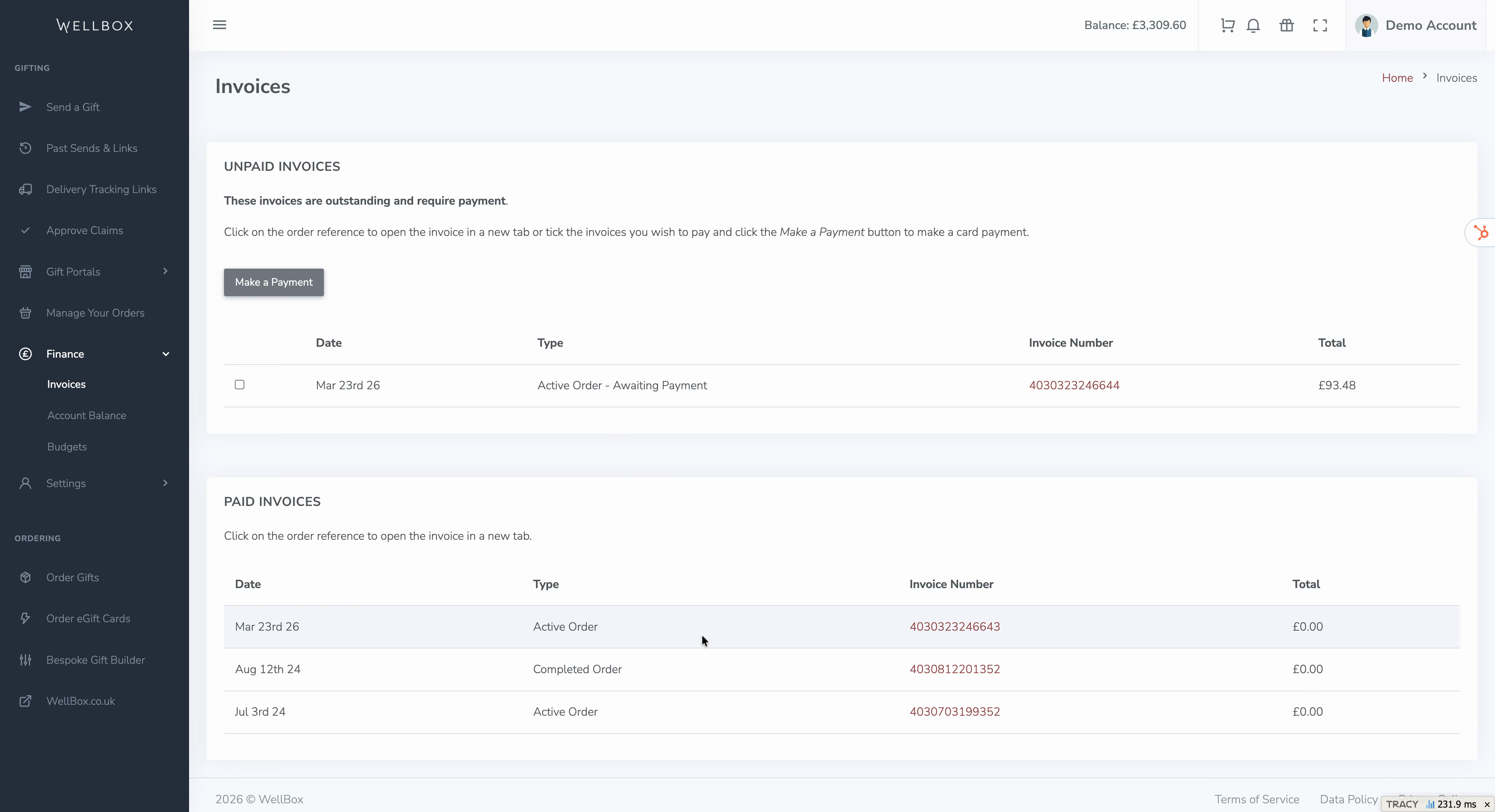
Keeping your invoices on hand ensures you have documentation for reimbursements, accounting, or personal records. Check the Invoices section whenever you need a copy of any transaction.