---
title: Using Gift Redemption Links
description: Learn how to send gifts using redemption links. Let recipients enter their own address and dietary preferences, and send gifts anywhere with just an email address.
---
[Skip to content](https://comms.wellboxes.co.uk/help/sending-gift-redemption-links#main-content)
English
Show submenu for translations
[](https://www.wellboxes.co.uk/)
Open main navigation
Close main navigation
- English
Show submenu for translations
How can we help you?
- There are no suggestions because the search field is empty.
1. [WellBox Product Support](https://comms.wellboxes.co.uk/help?hsLang=en)
2. [Sending Gifts](https://comms.wellboxes.co.uk/help/sending-gifts?hsLang=en)
# Using Gift Redemption Links
## Gift Redemption links solve the problem of not having a recipient's address or not knowing exactly where they will be when their gift is sent. Send a link to claim a gift by email, QR code or sms and recipients can provide their own address and dietary preferences.
#### Sending a gift isn't always as easy as having an address on hand—maybe your recipient is moving, or you want them to select dietary preferences, or perhaps you'd like to let them choose a different gift.
#### Redemption links solve all these problems by letting your recipient take control, so you can send a gift anywhere in the world using just an email address.
Follow these steps to create and send a gift redemption link.
**Step 1:** Click **Send a gift** from your account dashboard.
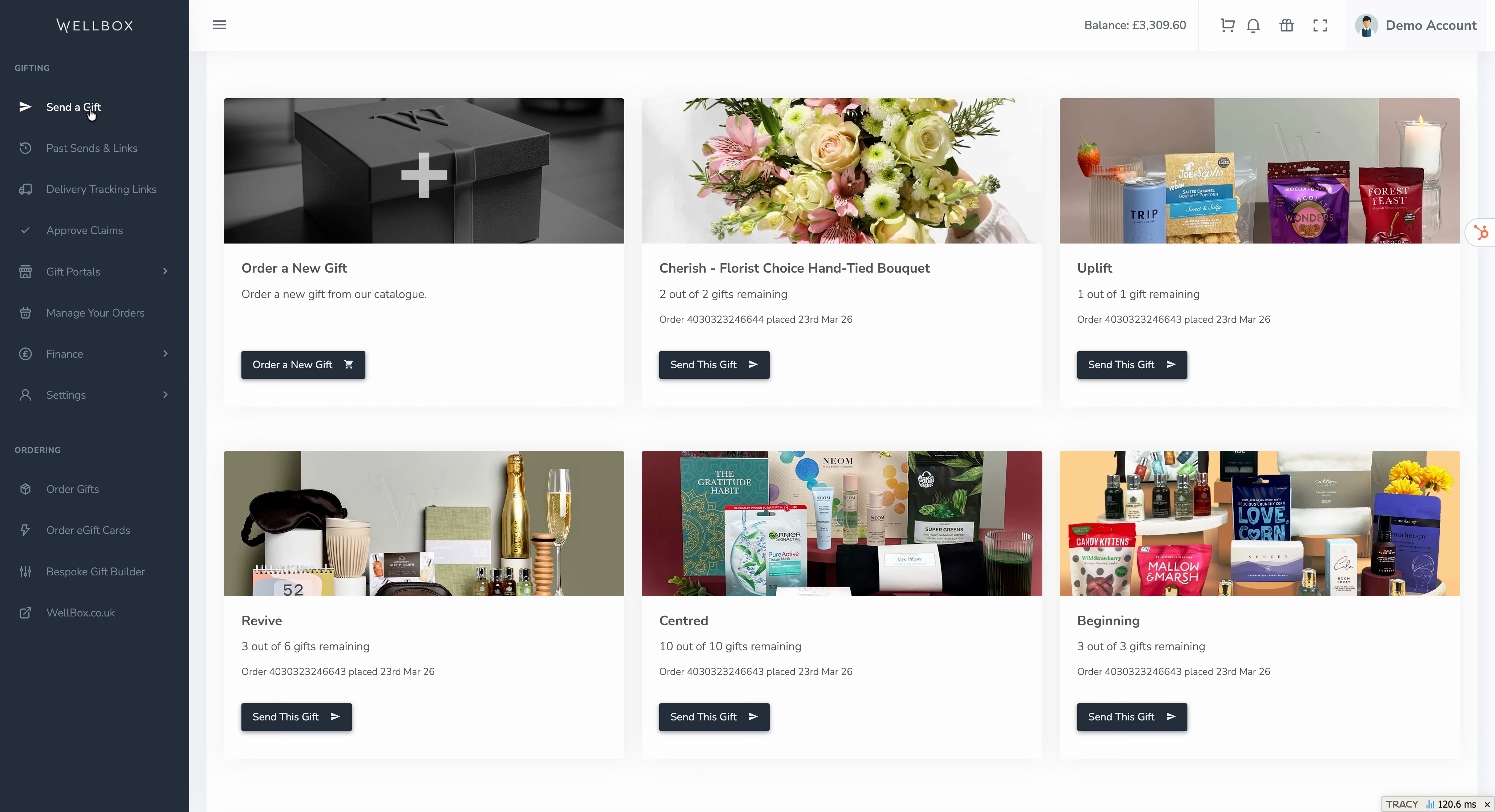
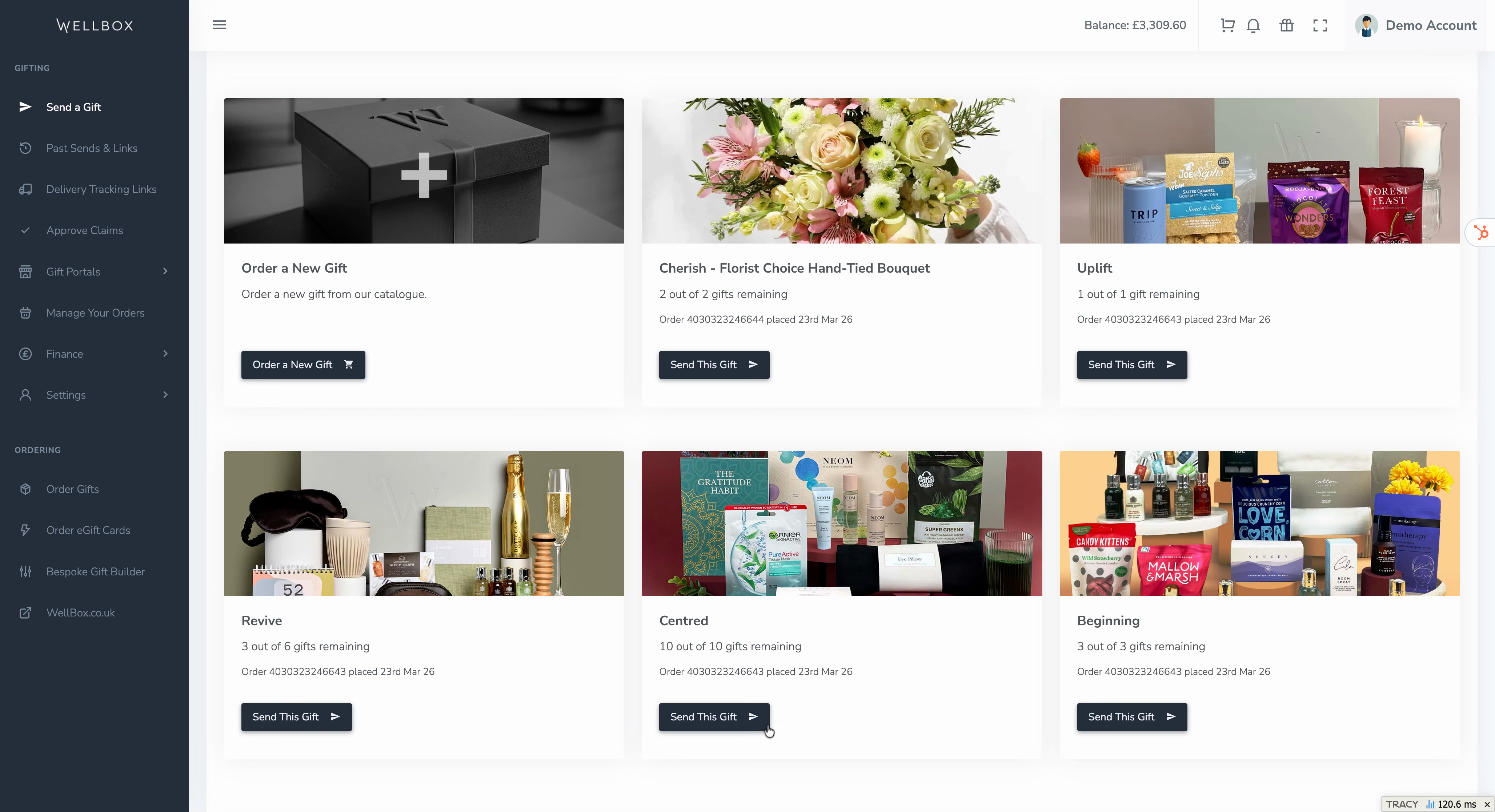
**Step 2:** Browse your available gifts and select the one you'd like to send.
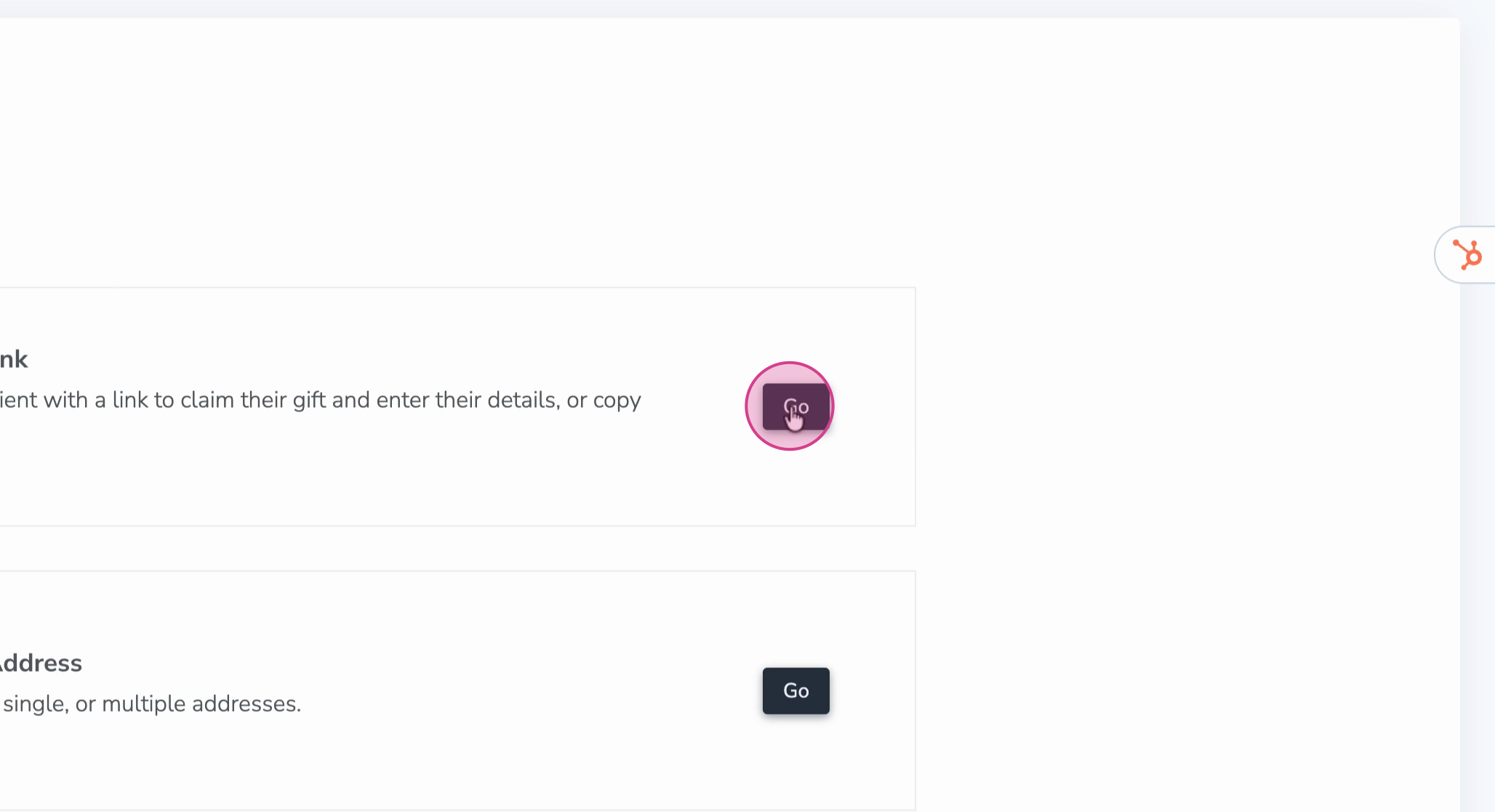
**Step 3:** Click **Create a redemption link**.
**Step 4:** Choose how to add recipients. Enter an email address and optional name manually, or upload a list of recipients and event dates using the provided template.
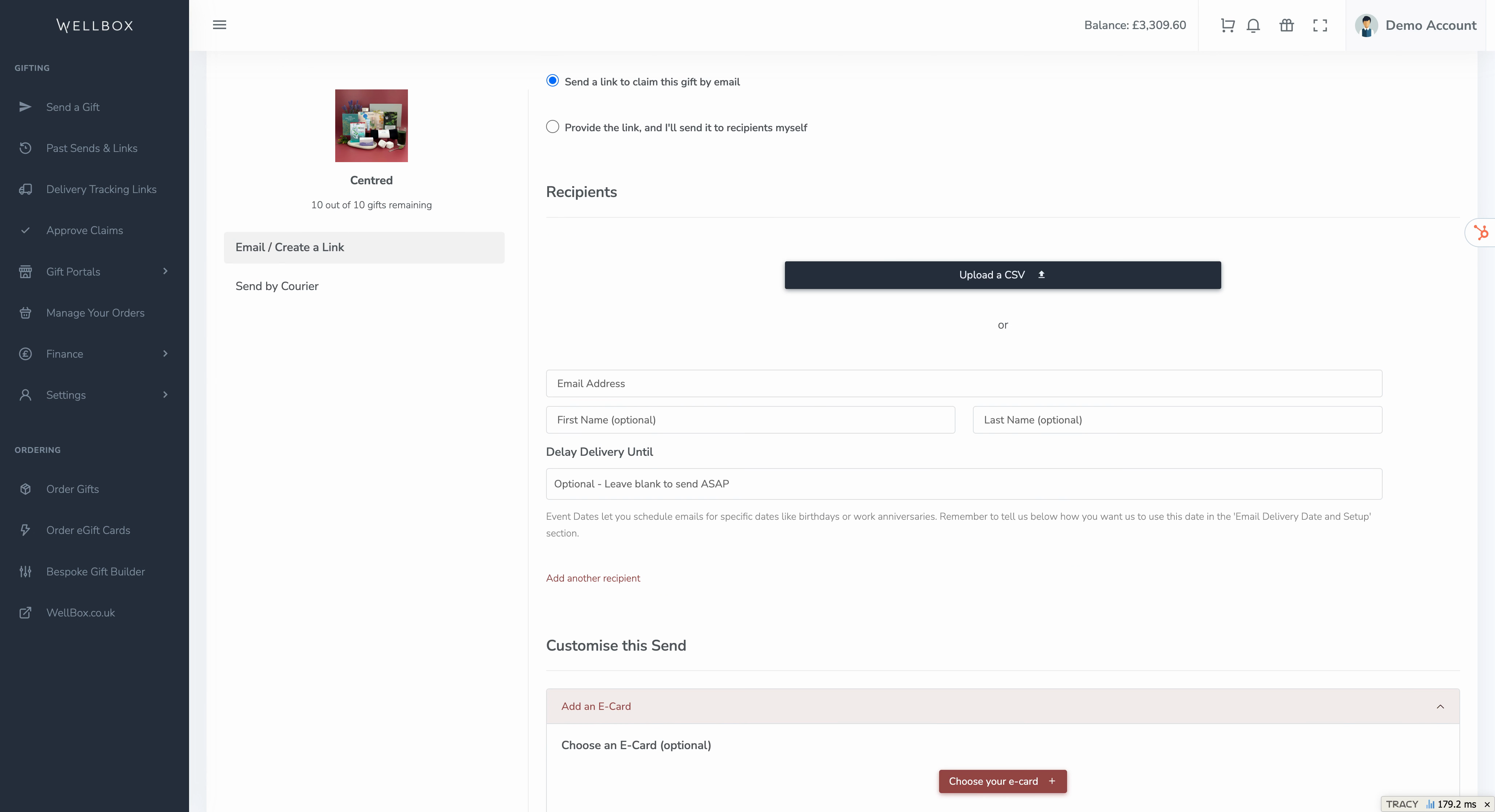
**Step 5:** Choose when the gift invite is sent. You can send it now or schedule it for a specific date, like a birthday or special occasion.
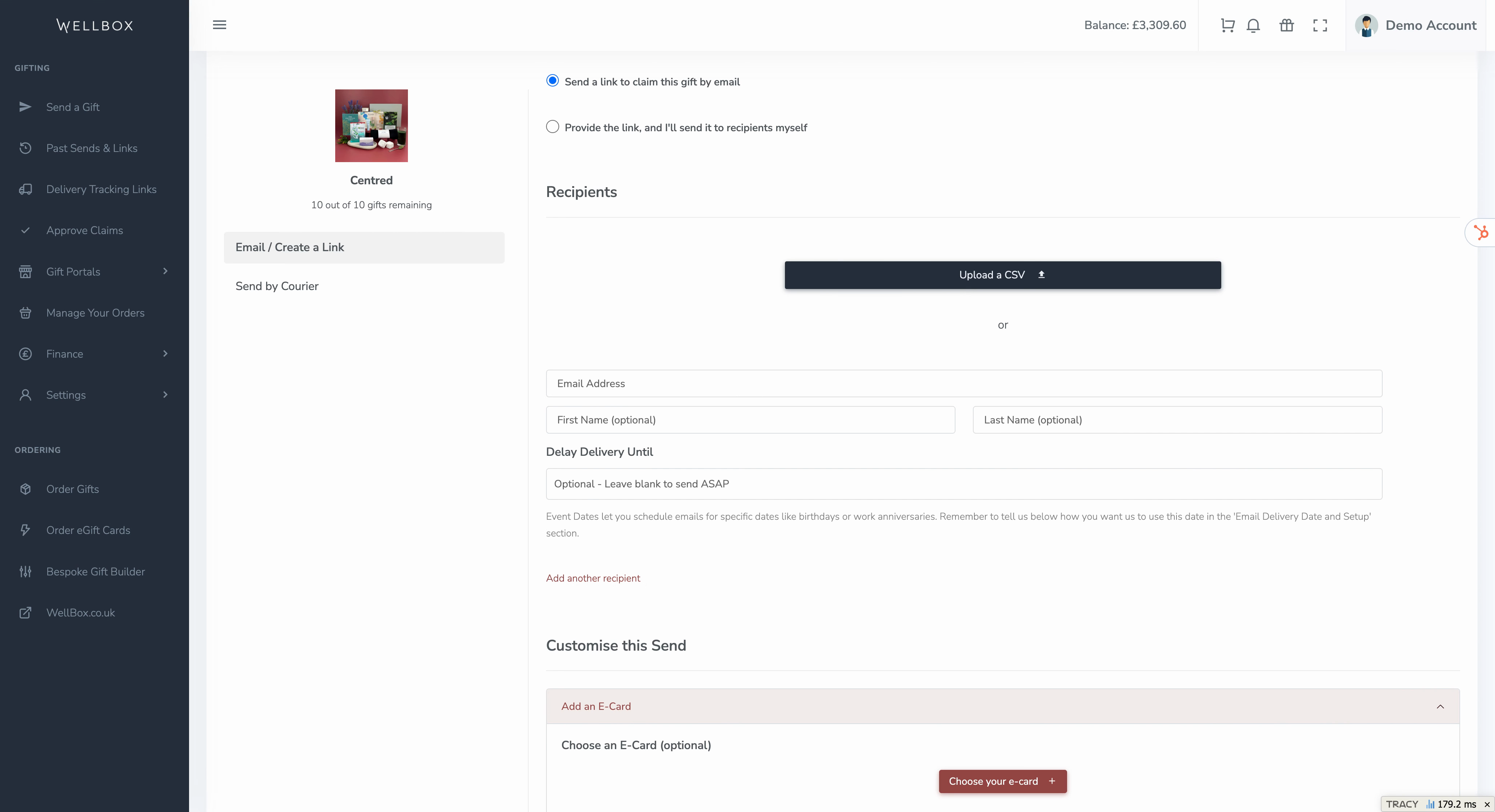
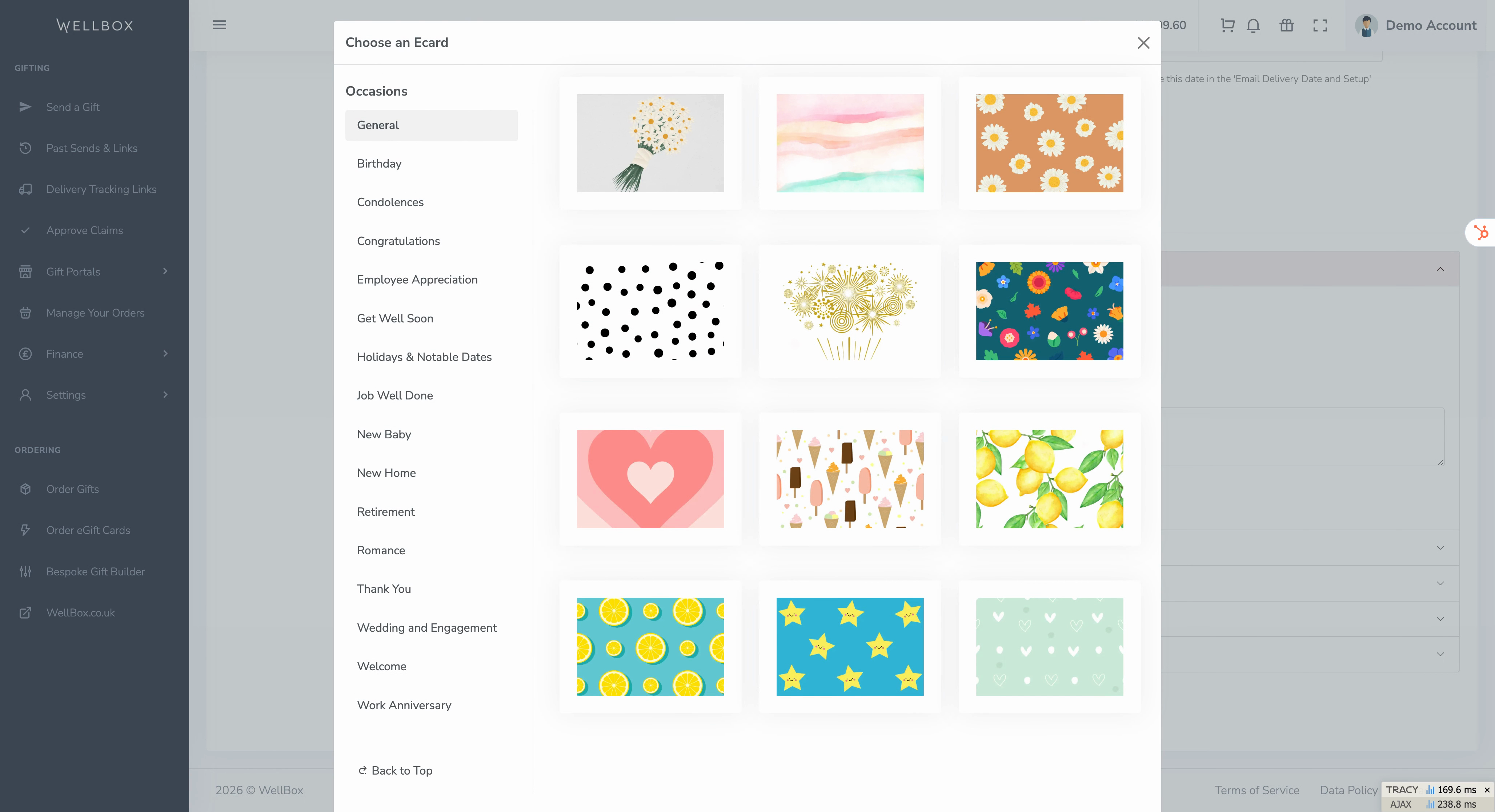
**Step 6:** Personalize the redemption experience. Add an **E-card**, custom message, or charity postcard to the gift page your recipient will see.
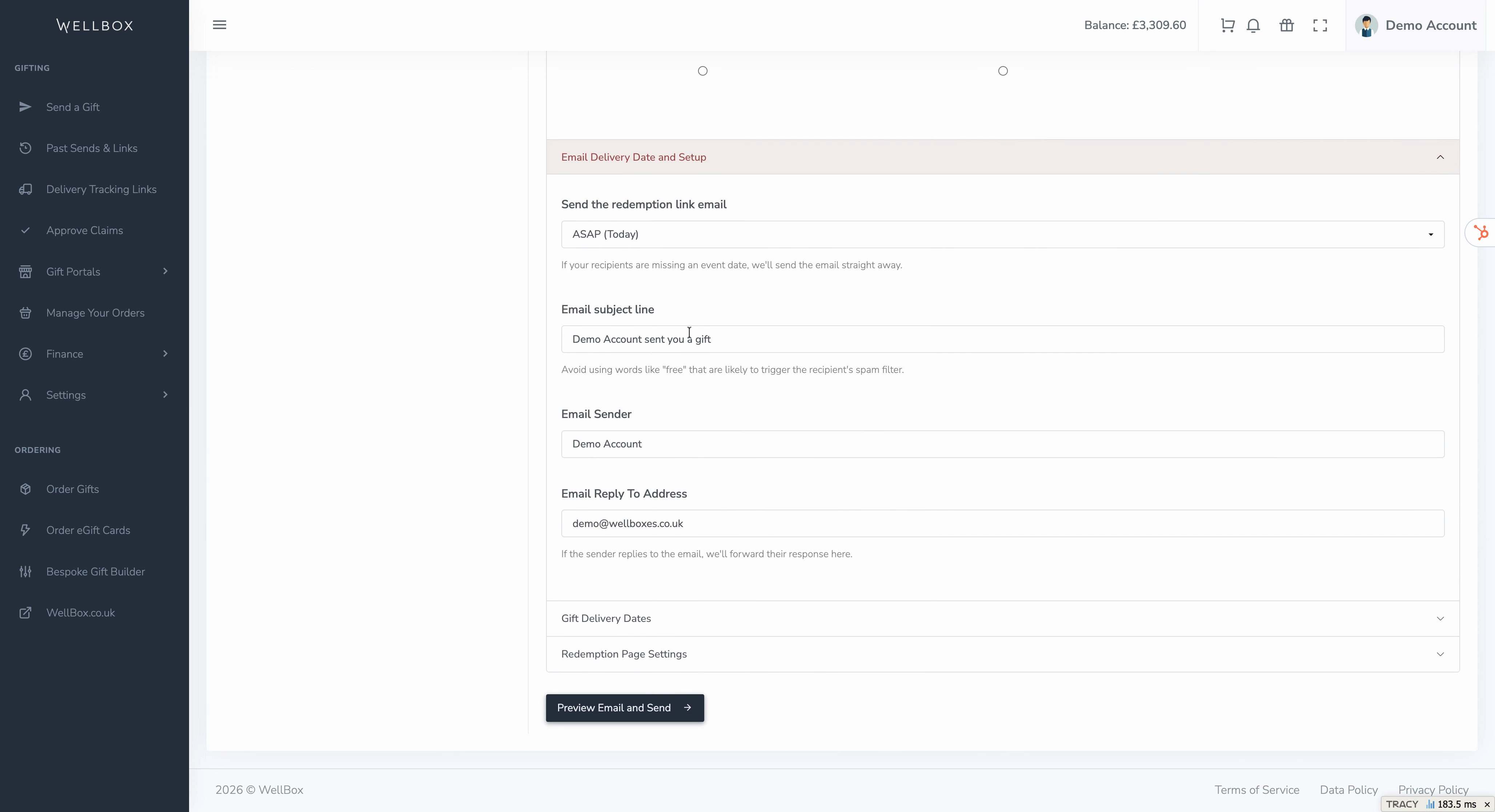
**Step 7:** Optionally, you can change the delivery date of the notification email, update the subject line, or choose the sender and reply-to addresses.
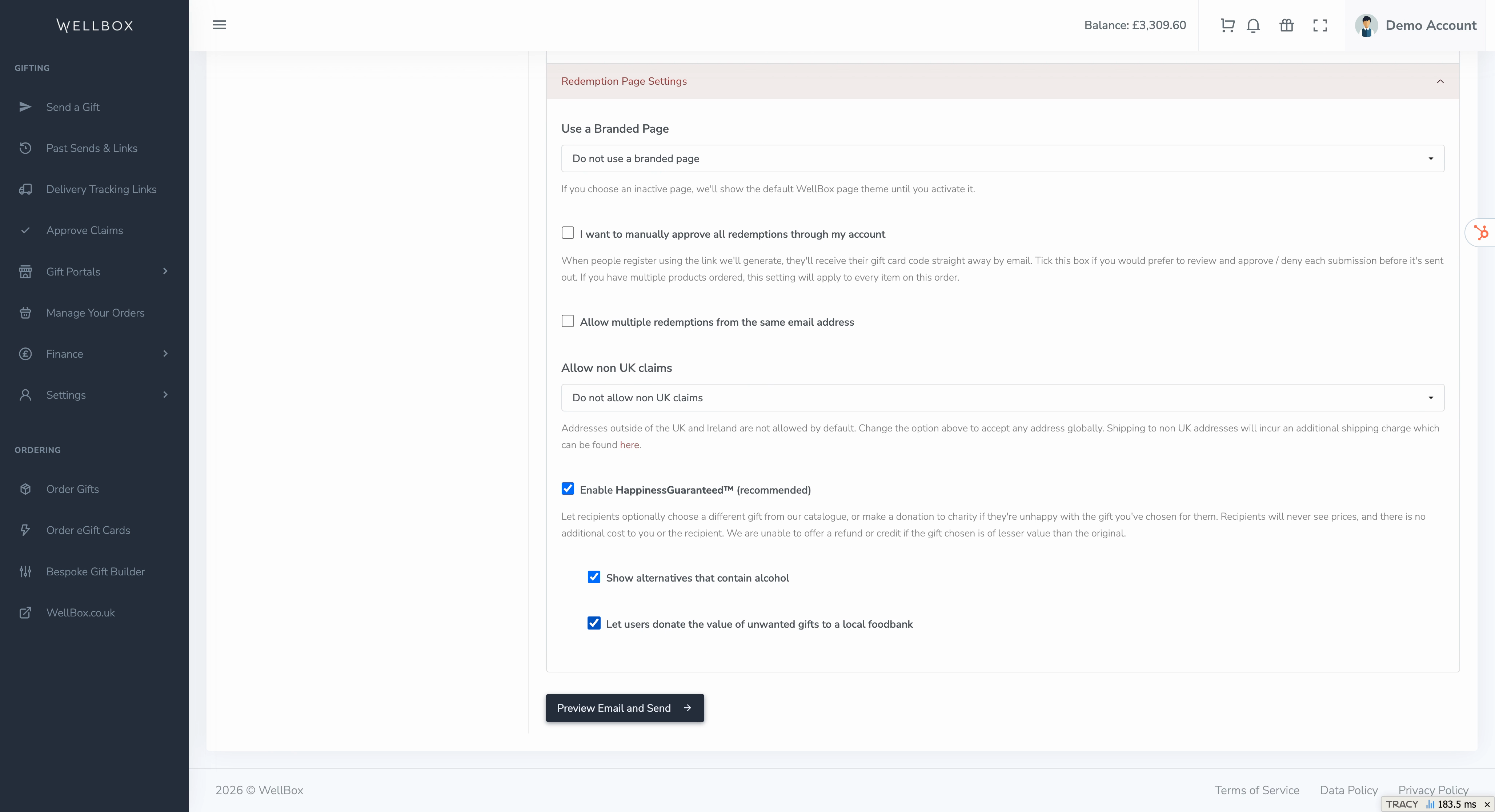
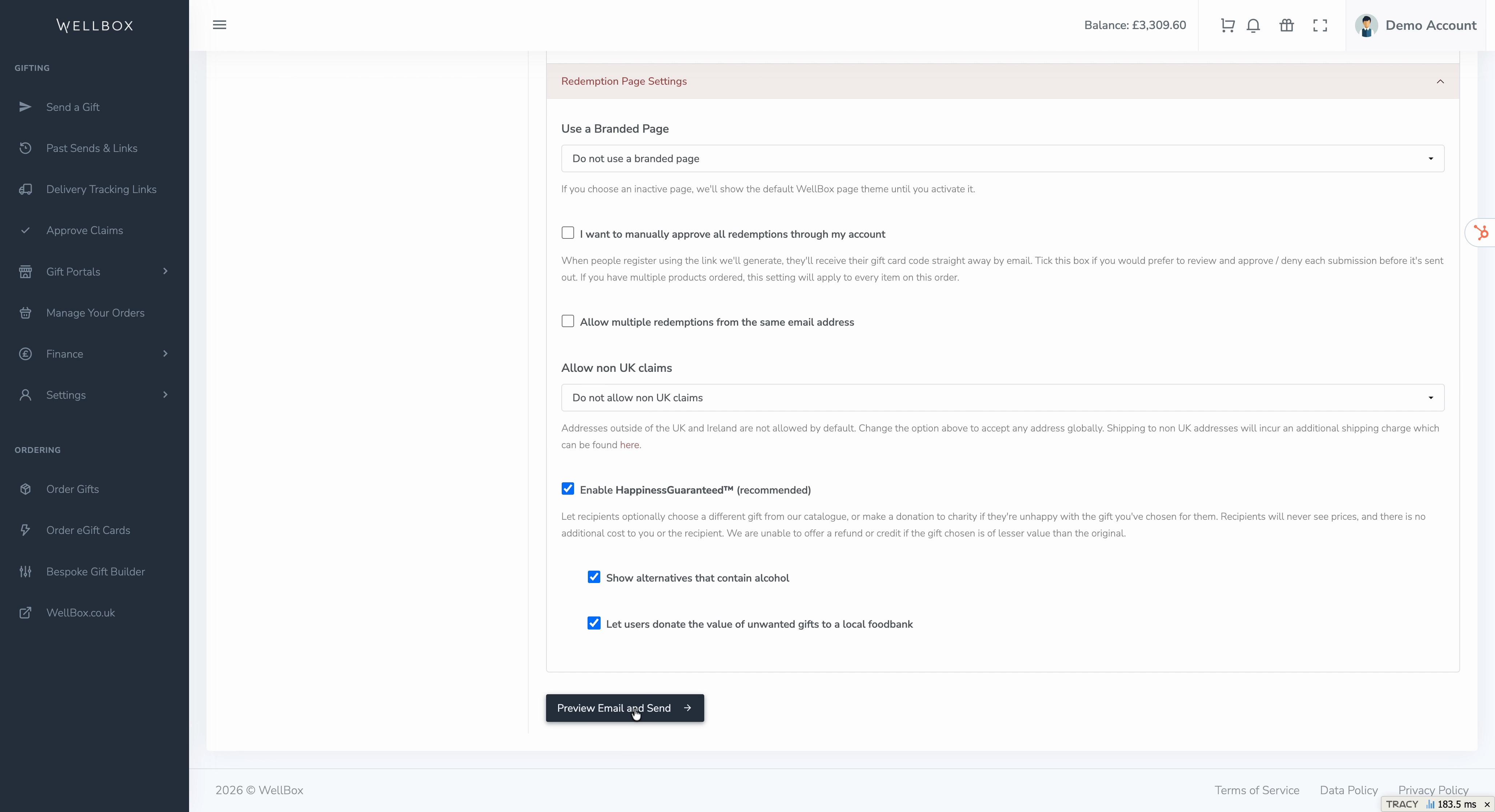
**Step 8:** You can manage gifting preferences here too.
Set restrictions like blocking multiple claims, requiring redemption approval, allowing alternate gift choices, or letting recipients donate the gift’s value to charity.
**Step 9:** When you’re ready, hit **Preview email and send** to review what your recipient will see.
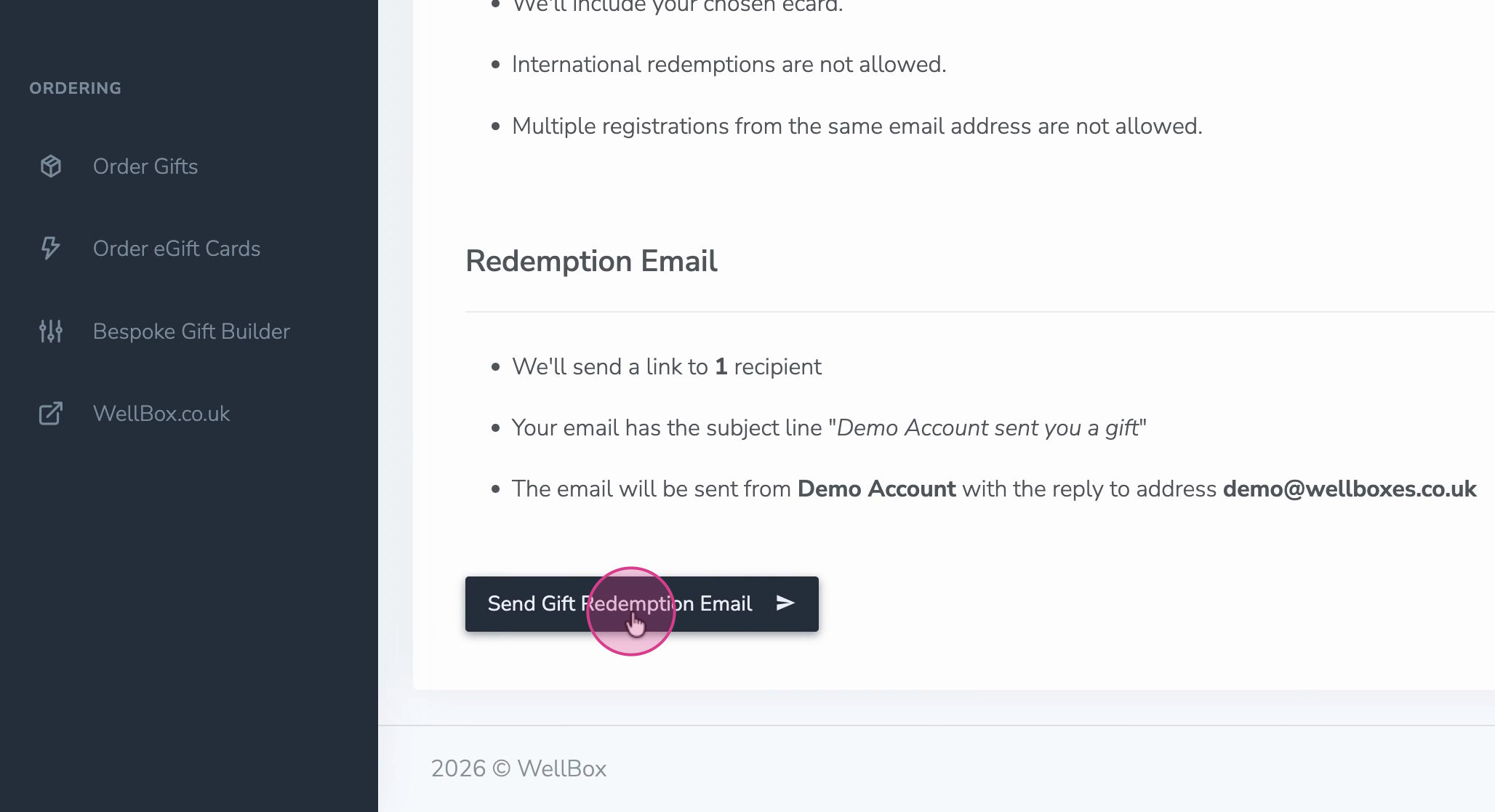
**Step 10:** Click **Send Gift Redemption Email** to deliver the invitation.
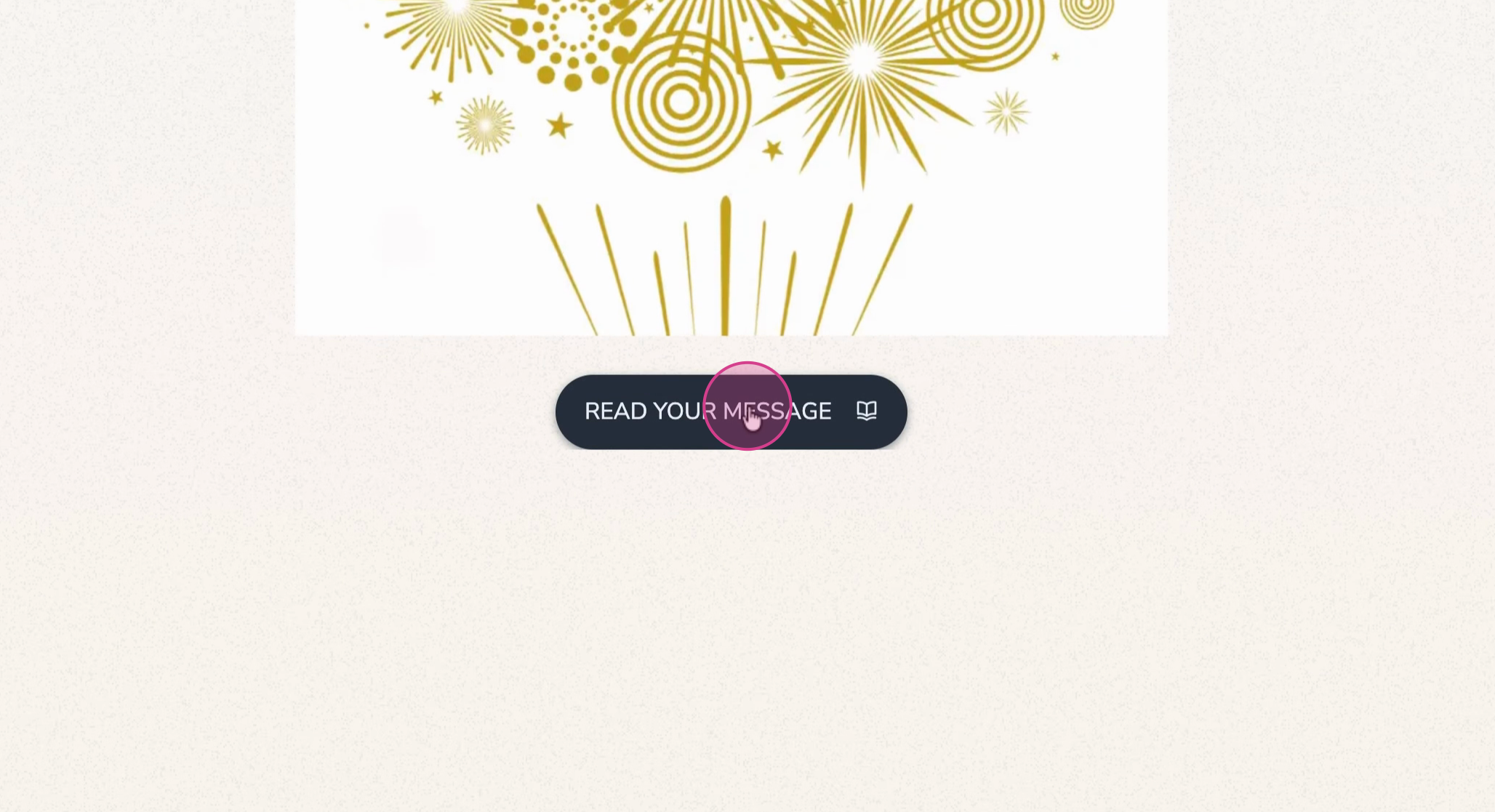
**Step 11:** Your recipient gets an email with a unique redemption link. They click it, select their gift, enter personal details (like address and dietary preferences), and confirm the claim—all on a secure page.
Redemption links make gifting seamless, flexible, and personal. With just an email address, you can send the right gift, at the right time, no matter where your recipients are.
- [Orders](https://comms.wellboxes.co.uk/help/orders?hsLang=en)
- [Delivery and Shipping](https://comms.wellboxes.co.uk/help/delivery-and-shipping?hsLang=en)
- [Sending Gifts](https://comms.wellboxes.co.uk/help/sending-gifts?hsLang=en)
- [Billing and Invoices](https://comms.wellboxes.co.uk/help/billing-and-invoices?hsLang=en)
- [eGift Cards](https://comms.wellboxes.co.uk/help/egift-cards?hsLang=en)
- [Branding and Customisation](https://comms.wellboxes.co.uk/help/branding-and-customisation?hsLang=en)
[](https://www.wellboxes.co.uk)
Unit B, Canalside, John Gilbert Way, Old Trafford, Stretford, Manchester, M17 1UP
Copyright © 2026, WellBox
```json
{
"@context" : "https://schema.org",
"@type" : "VideoObject",
"caption" : {
"@type" : "MediaObject",
"contentUrl" : "https://comms.wellboxes.co.uk/media-transcripts/209985566245/en.vtt",
"inLanguage" : "en",
"name" : "en Captions"
},
"contentUrl" : "https://19495218.fs1.hubspotusercontent-na1.net/hubfs/19495218/video_assets/209985566245/inherited/web_optimized.mp4",
"dateModified" : "2026-03-26T13:35:45.612Z",
"duration" : "PT4M10S",
"height" : 1080,
"name" : "Gift Redemption Links",
"thumbnailUrl" : "https://19495218.fs1.hubspotusercontent-na1.net/hubfs/19495218/Videos/Gift%20Redemption%20Links.mp4/medium.jpg",
"uploadDate" : "2026-03-26T13:35:18.295Z",
"width" : 1920
}
```