---
title: Sending Gifts to Addresses
description: Learn how to send gifts by courier, from selecting a gift to uploading recipients, personalising messages, and scheduling delivery dates for any occasion.
---
[Skip to content](https://comms.wellboxes.co.uk/help/sending-gifts-to-addresses#main-content)
English
Show submenu for translations
[](https://www.wellboxes.co.uk/)
Open main navigation
Close main navigation
- English
Show submenu for translations
How can we help you?
- There are no suggestions because the search field is empty.
1. [WellBox Product Support](https://comms.wellboxes.co.uk/help?hsLang=en)
2. [Sending Gifts](https://comms.wellboxes.co.uk/help/sending-gifts?hsLang=en)
# Sending Gifts to Addresses
## When you have your recipients' addresses saved, sending gifts is straightforward. Walk through the process step by step, from choosing a gift and adding recipients individually or via spreadsheet, to personalising each delivery with messages, themed postcards, and scheduled delivery dates.
Sending gifts to one or more recipients is simple when you have their address. Here’s how to send gifts quickly and add thoughtful touches to each delivery.
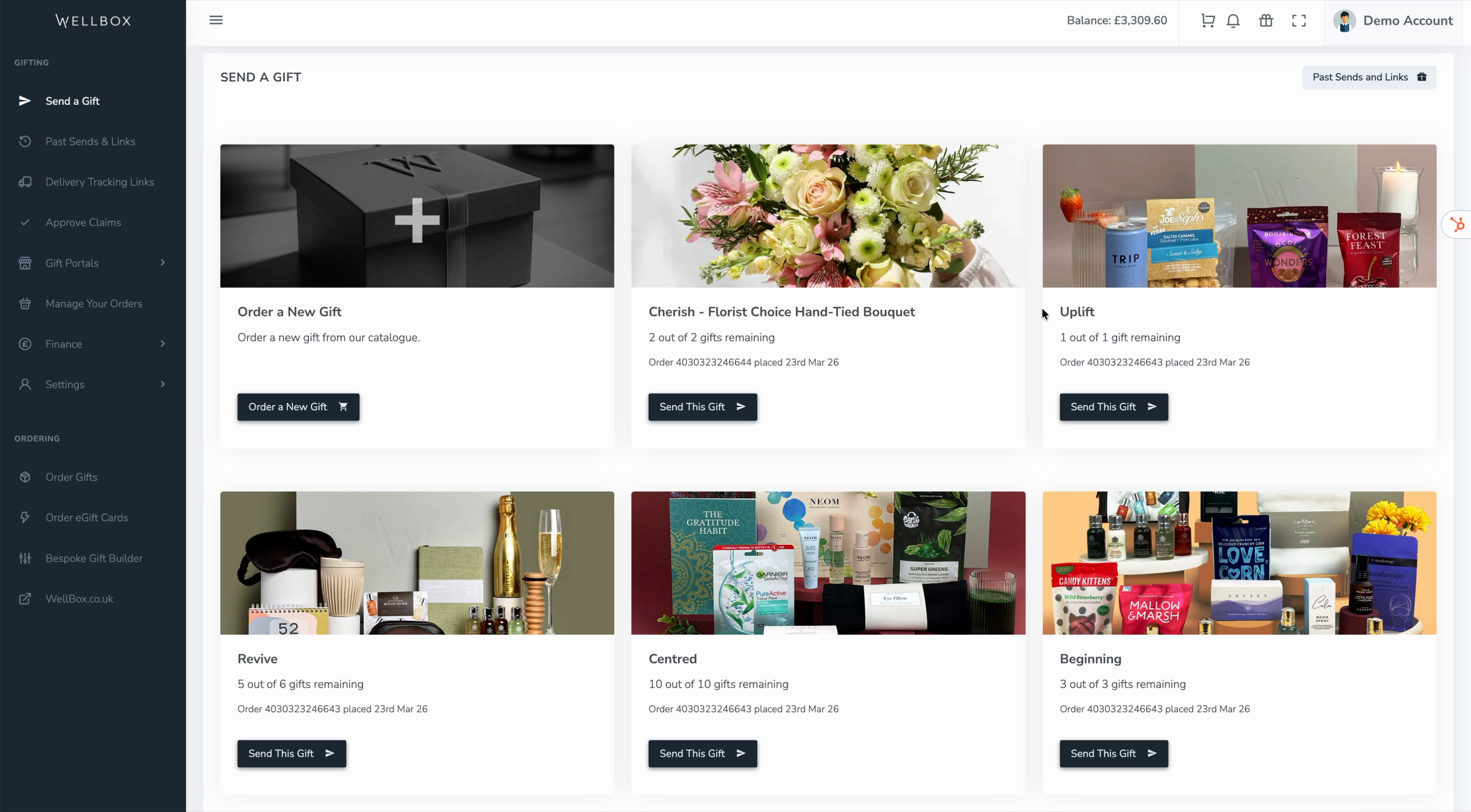
Select **Send a Gift** to view all available gifts linked to your account. Choose the gift you’d like to send from the list.
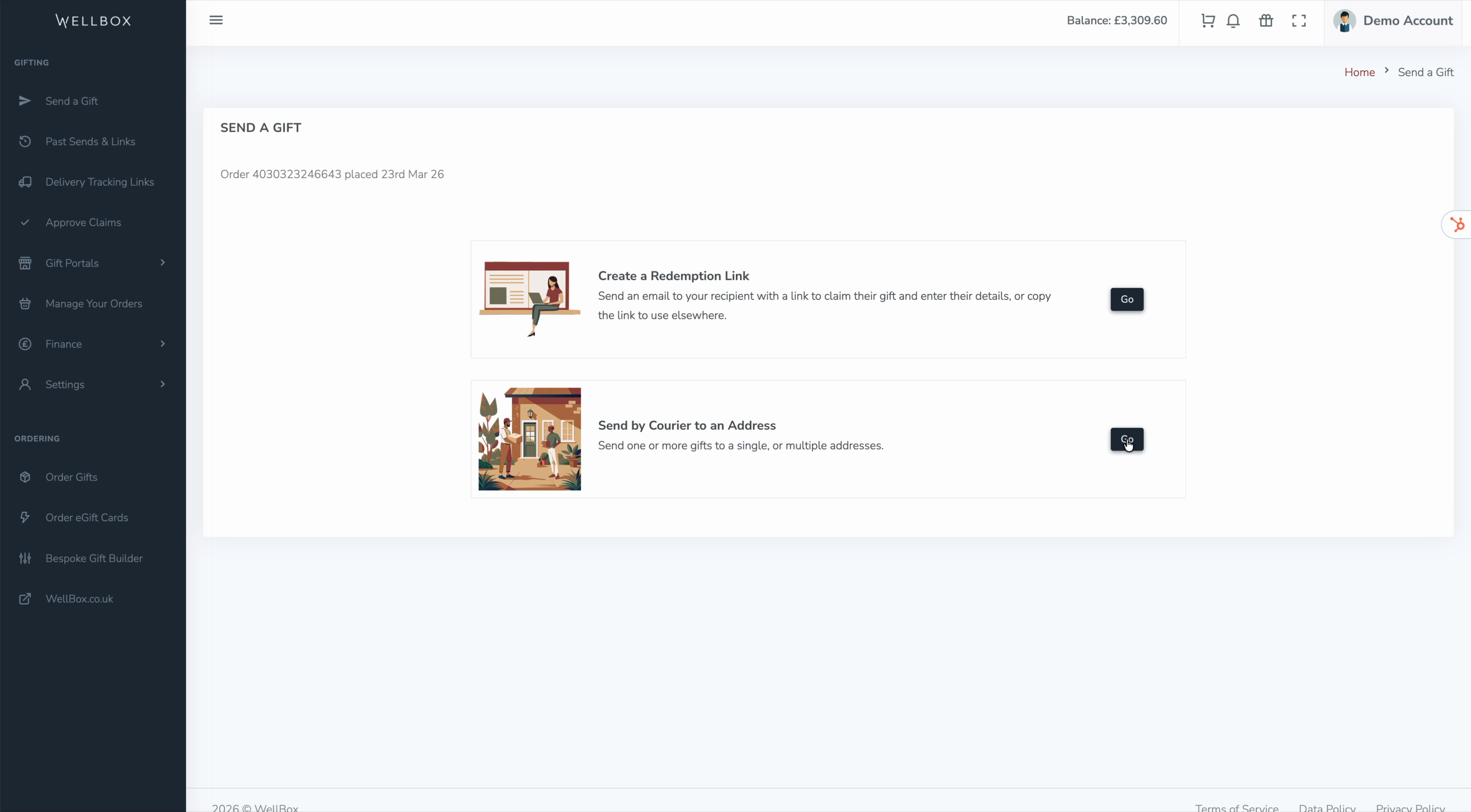
Click **Send by courier to an address** to start your gift send request.
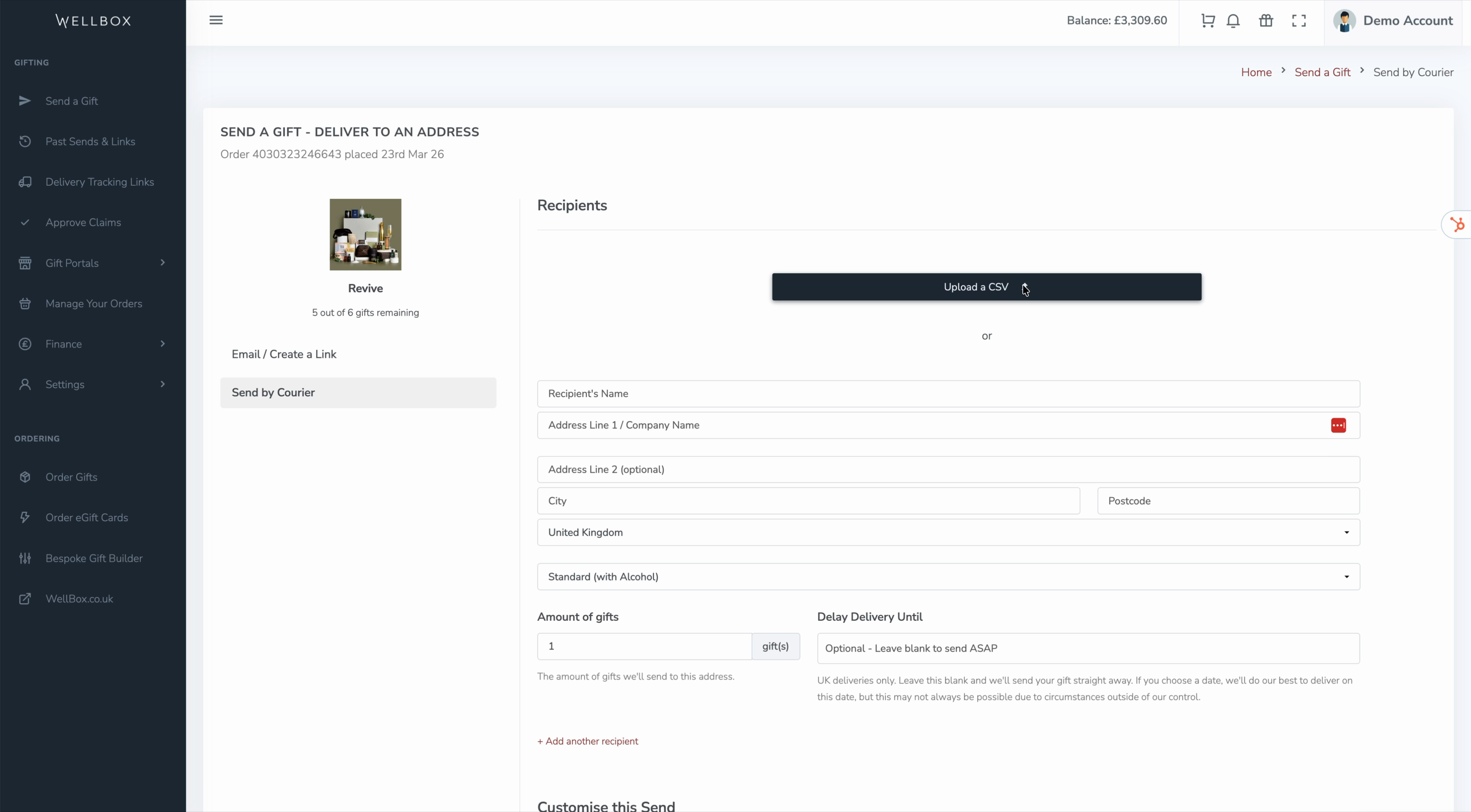
Decide how you want to add your recipients. Upload an Excel spreadsheet if you’re sending to multiple people, or enter recipient addresses one by one if sending just a few gifts.
In your spreadsheet, you can adjust options based on recipient preferences—like opting for no alcohol, vegan, or gluten-free gifts if available.
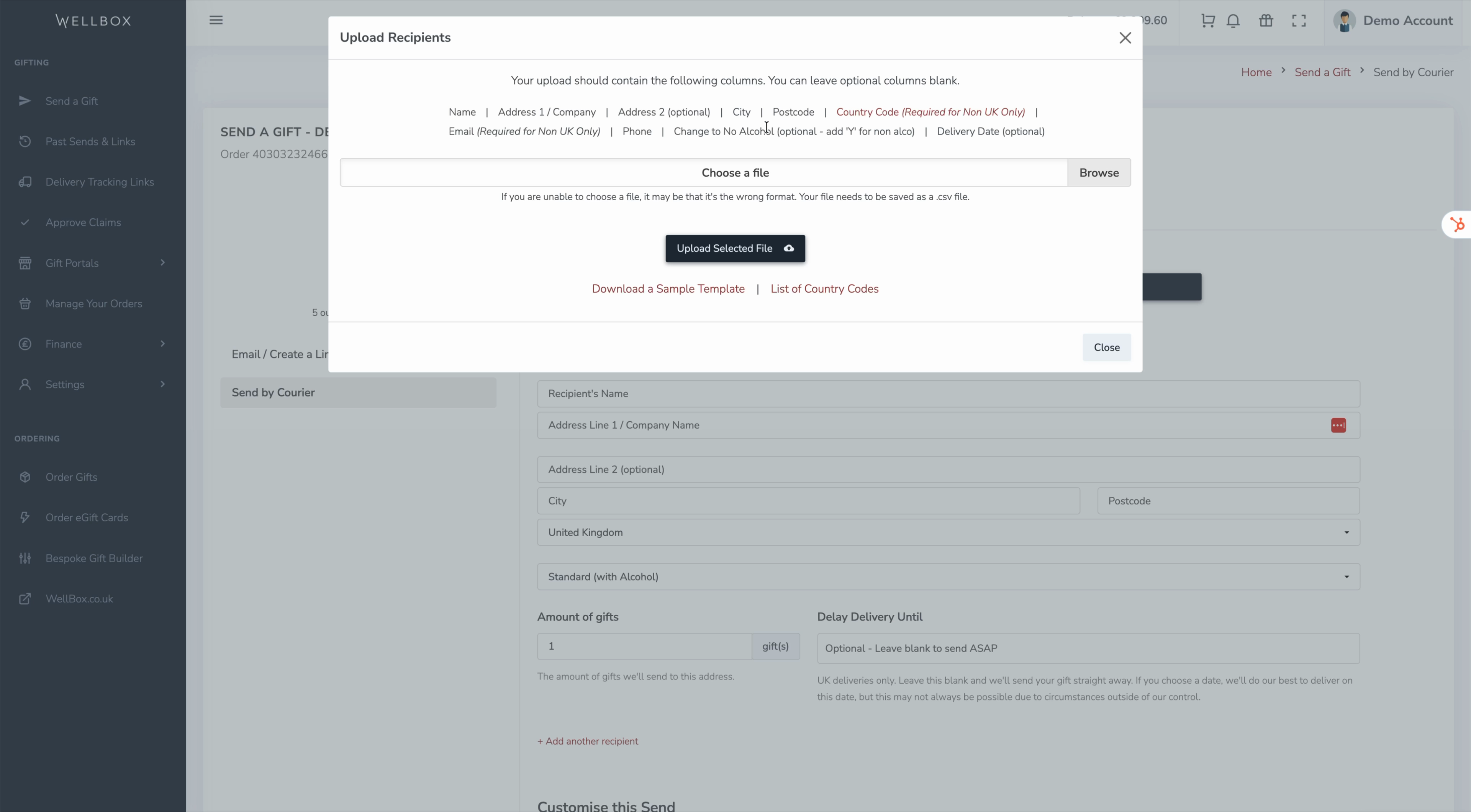
You can optionally specify a delivery date for each recipient if you want gifts to arrive on specific days—helpful for birthdays or work anniversaries.
***Tip -*** *You can download a sample spreadsheet template if you need a guide for formatting recipient and delivery info.*
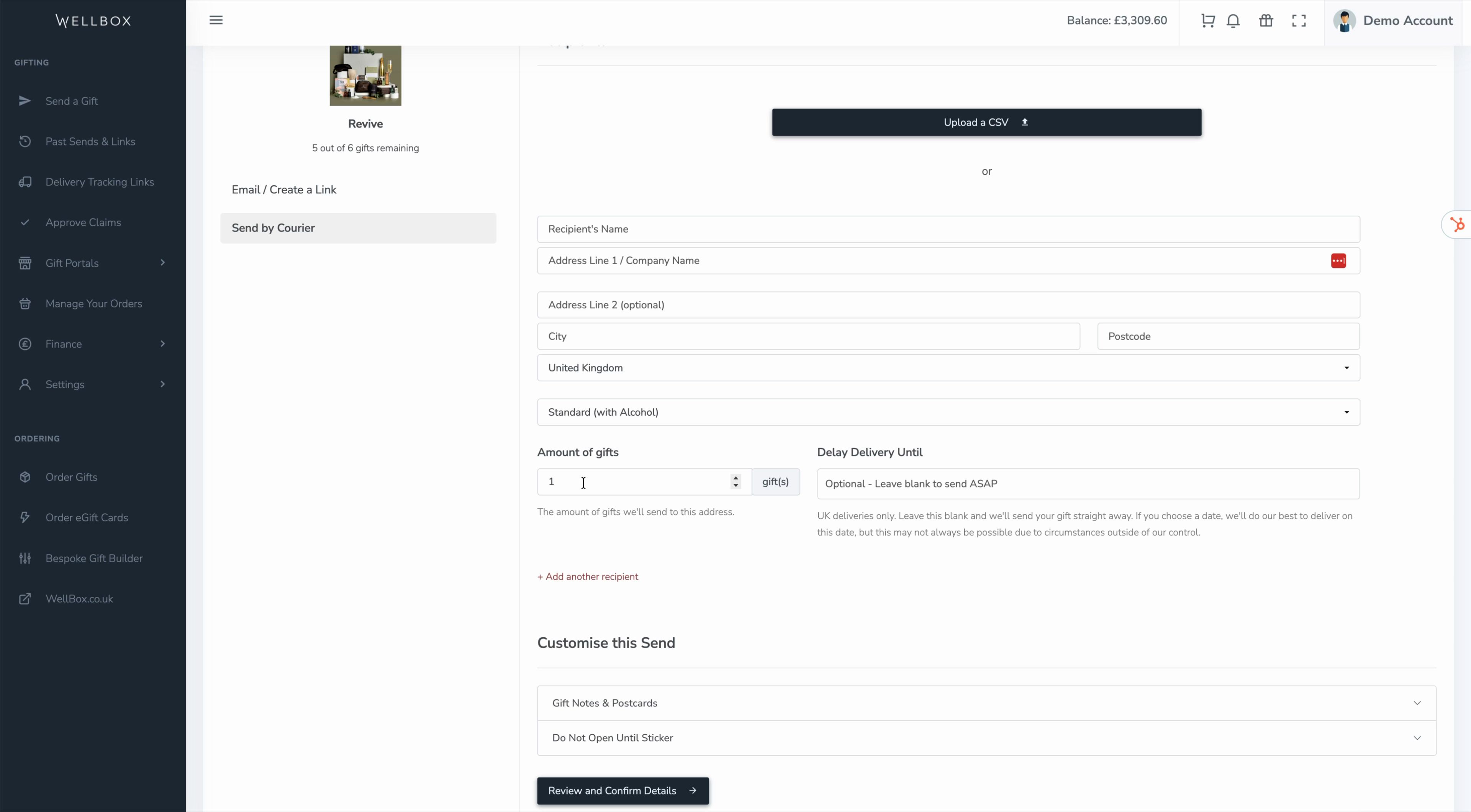
If you're sending all gifts to one address, or prefer to enter your recipients one by one, enter it and adjust the quantity of gifts for that location if you want to send more than one.
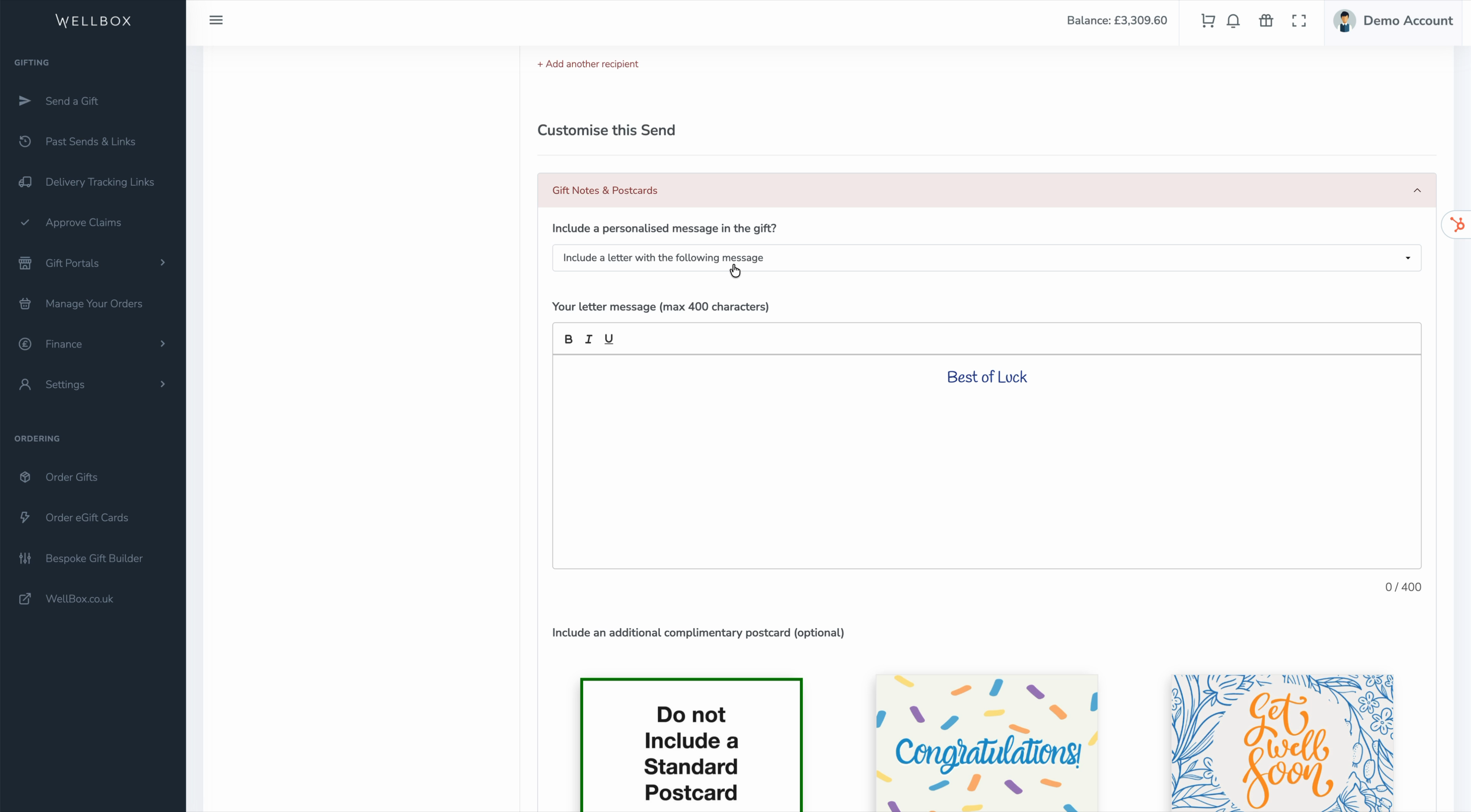
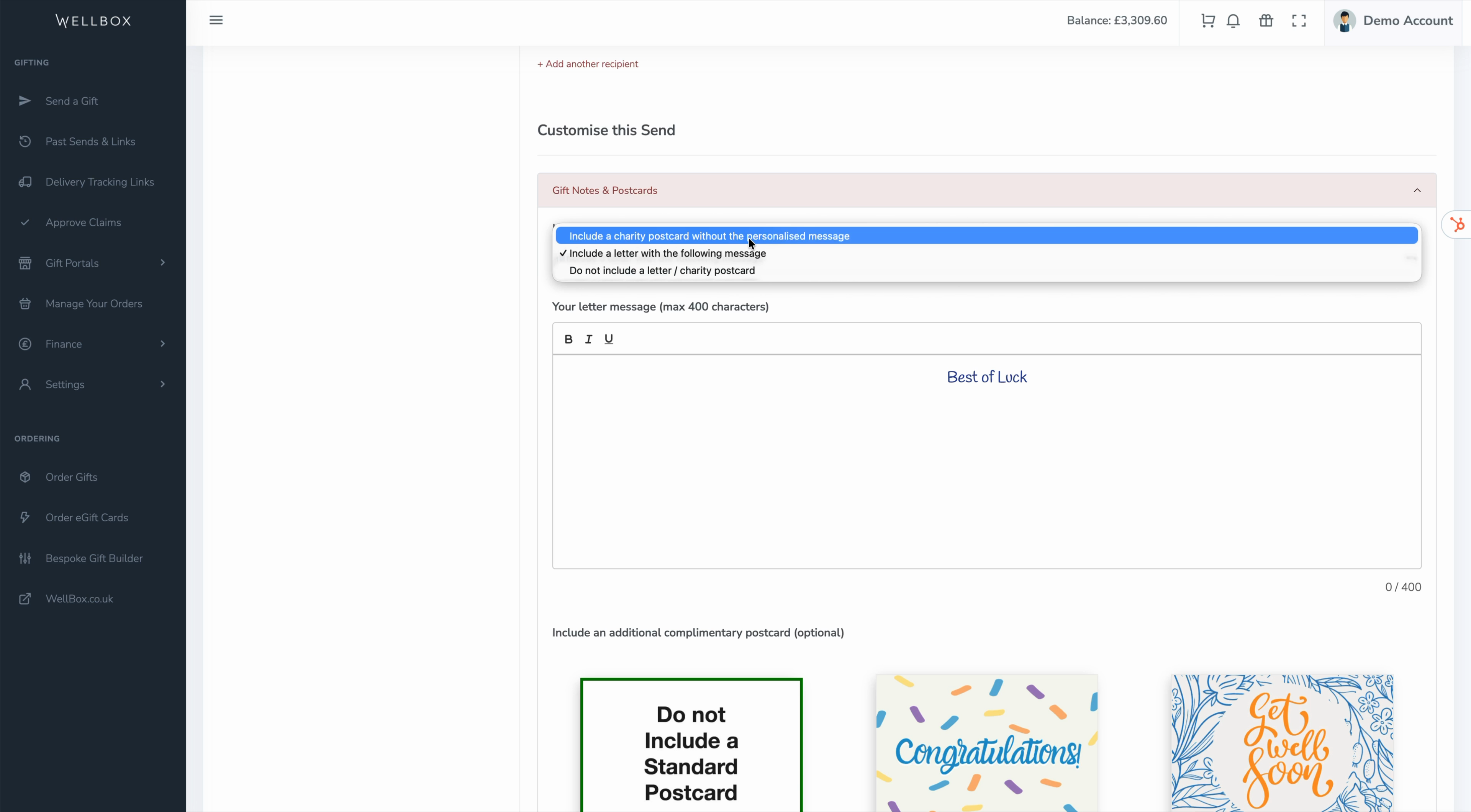
Choose to add a letter with a personalised message, a charity postcard, or no note at all.
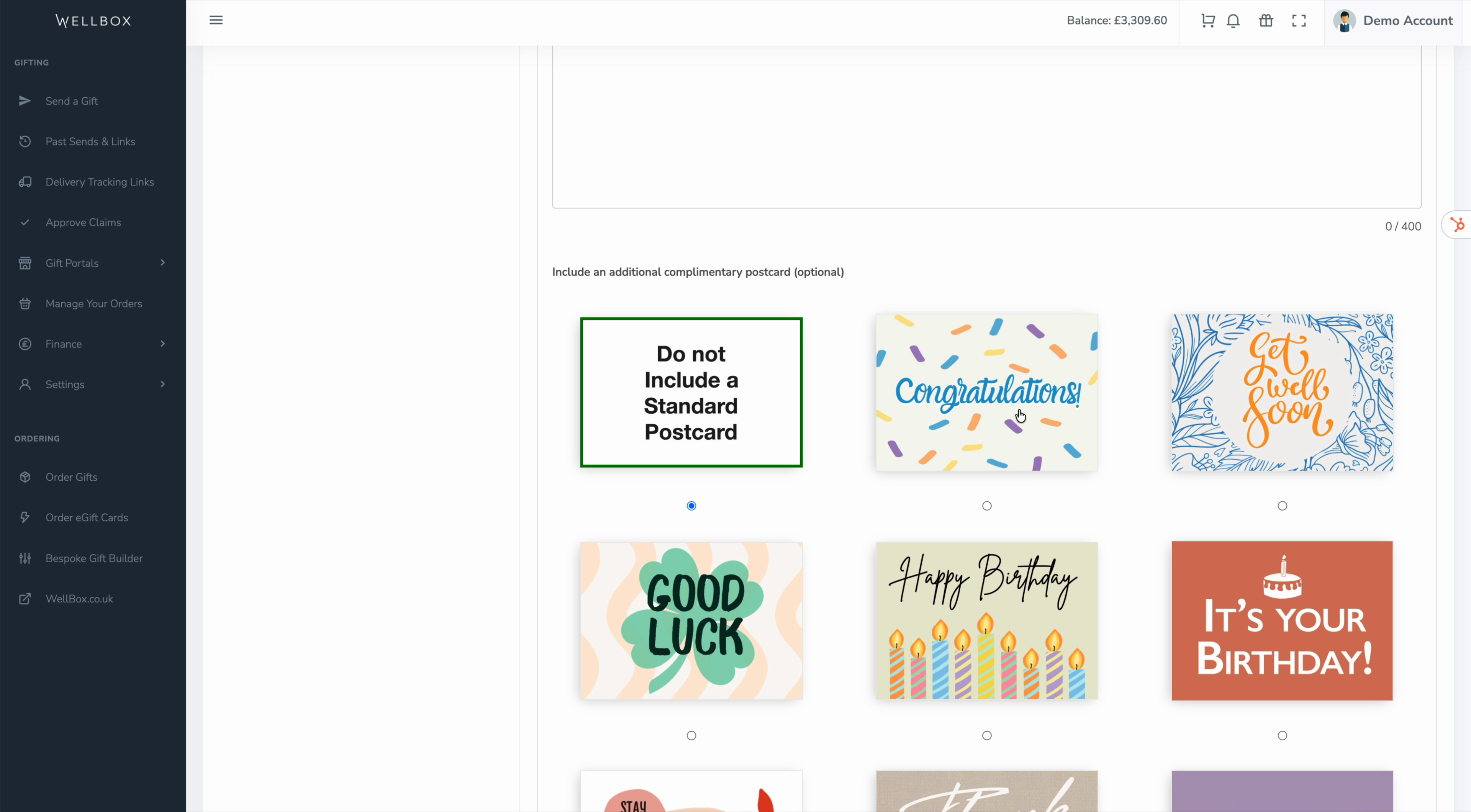
Optionally, include a free themed postcard—like a “Get Well Soon” message.
Add a **Do Not Open** sticker if you want recipients to wait for a special event or date before opening their gift.
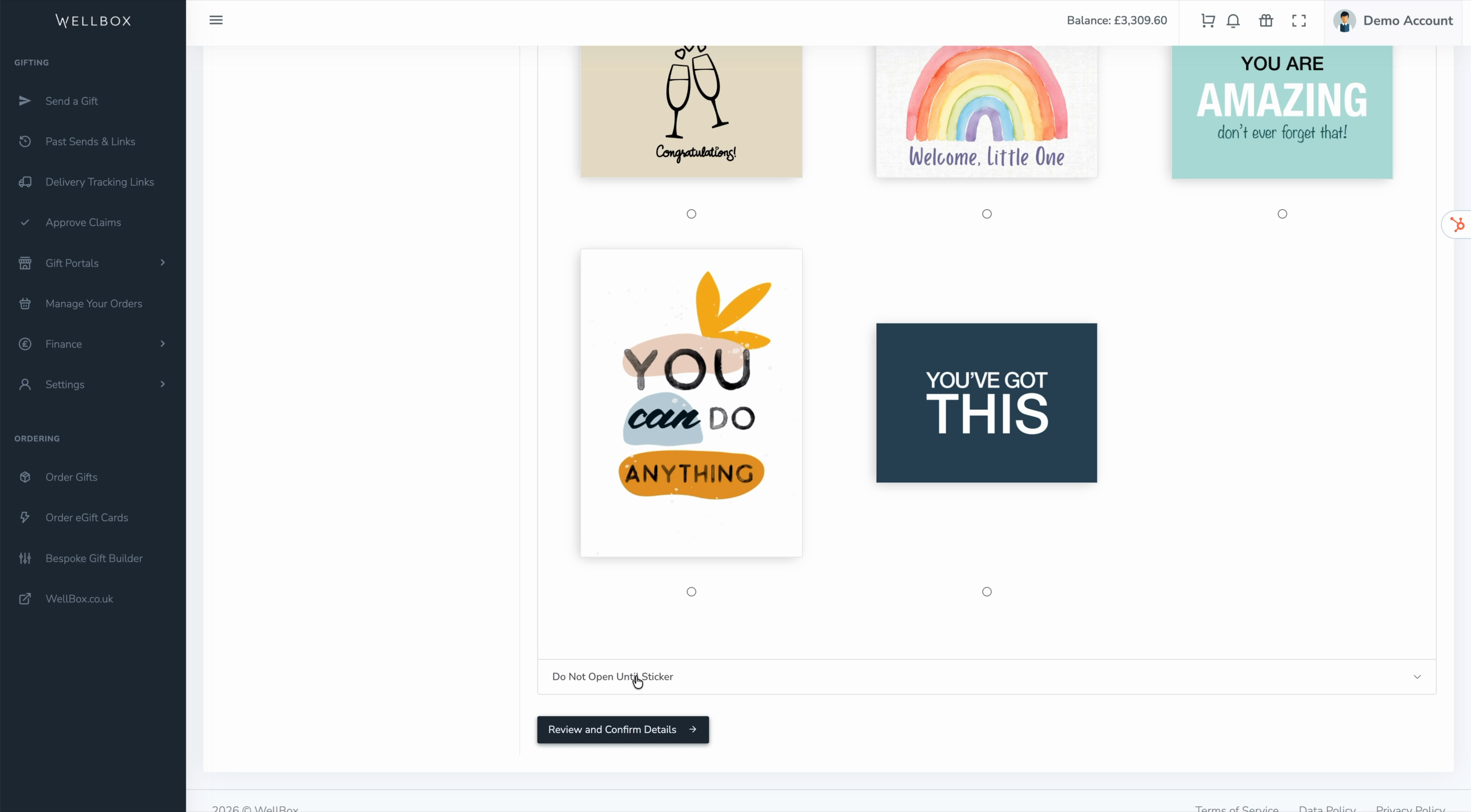
Click **Review and Confirm Details** to see a summary of your selections. Hit **Send to gifts** and your selected gifts will be dispatched.
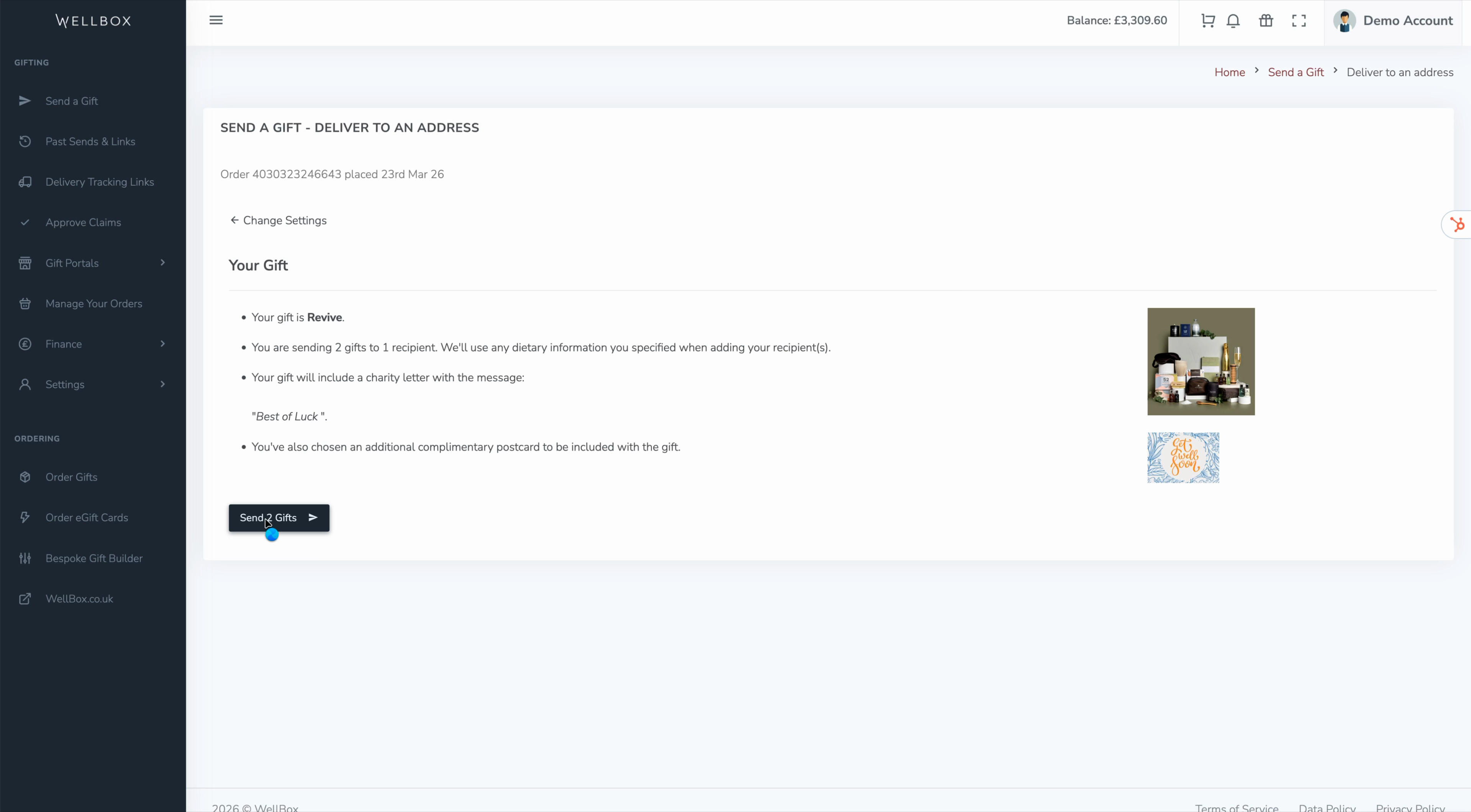
This process makes it easy to send personalised gifts for any occasion, ensuring they arrive on time and with the right touch for each recipient. Perfect for birthdays, work milestones, and special events!
- [Orders](https://comms.wellboxes.co.uk/help/orders?hsLang=en)
- [Delivery and Shipping](https://comms.wellboxes.co.uk/help/delivery-and-shipping?hsLang=en)
- [Sending Gifts](https://comms.wellboxes.co.uk/help/sending-gifts?hsLang=en)
- [Billing and Invoices](https://comms.wellboxes.co.uk/help/billing-and-invoices?hsLang=en)
- [eGift Cards](https://comms.wellboxes.co.uk/help/egift-cards?hsLang=en)
- [Branding and Customisation](https://comms.wellboxes.co.uk/help/branding-and-customisation?hsLang=en)
[](https://www.wellboxes.co.uk)
Unit B, Canalside, John Gilbert Way, Old Trafford, Stretford, Manchester, M17 1UP
Copyright © 2026, WellBox
```json
{
"@context" : "https://schema.org",
"@type" : "VideoObject",
"caption" : {
"@type" : "MediaObject",
"contentUrl" : "https://comms.wellboxes.co.uk/media-transcripts/209985619994/en.vtt",
"inLanguage" : "en",
"name" : "en Captions"
},
"contentUrl" : "https://19495218.fs1.hubspotusercontent-na1.net/hubfs/19495218/video_assets/209985619994/inherited/web_optimized.mp4",
"dateModified" : "2026-03-26T13:43:52.743Z",
"duration" : "PT1M58S",
"height" : 1080,
"name" : "Sending Gifts to an Address",
"thumbnailUrl" : "https://19495218.fs1.hubspotusercontent-na1.net/hubfs/19495218/Videos/Sending%20Gifts%20to%20an%20Address.mp4/medium.jpg",
"uploadDate" : "2026-03-26T13:34:27.898Z",
"width" : 1920
}
```